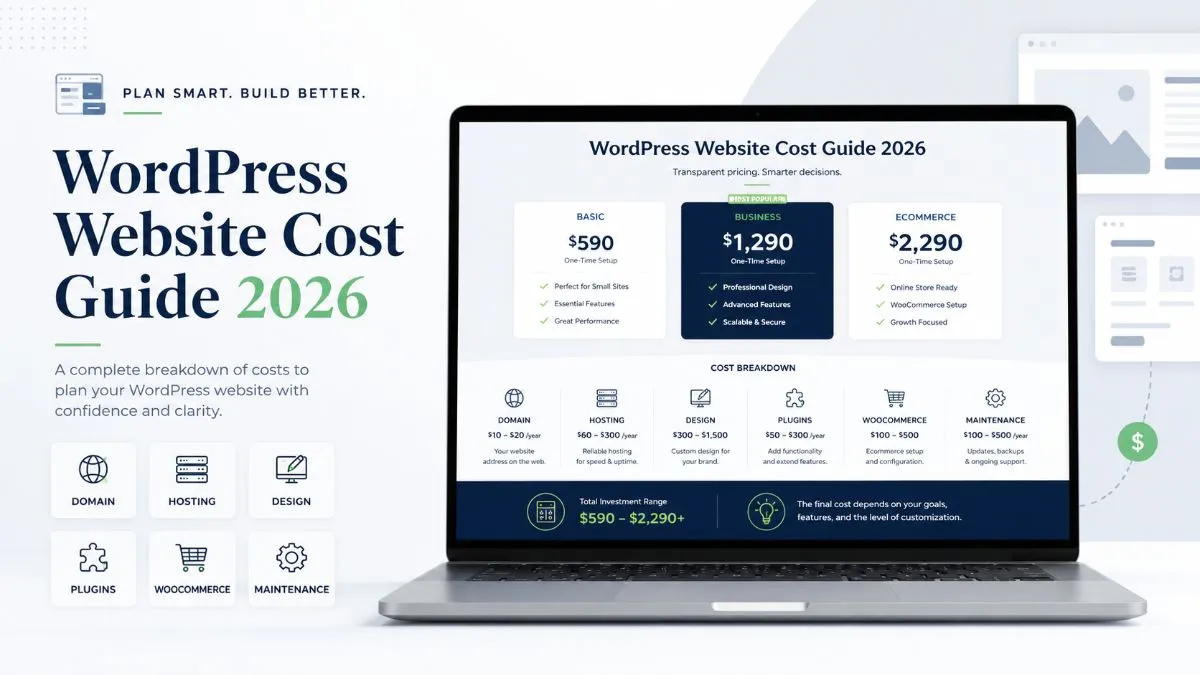
One of the first questions every business owner asks before building a website is simple: how much does a WordPress website cost?
The honest answer is that WordPress itself is free, but a professional website is not. You still need a domain, hosting, design, development, plugins, SEO setup, speed optimization, security, and ongoing maintenance. That is why a WordPress website can cost anywhere from $100 for a basic DIY site to $15,000+ for a custom business or WooCommerce website.
If you are planning to build a new website in 2026, this guide will help you understand the real costs, what affects pricing, where you can save money, and when it makes sense to hire a professional WordPress developer.
In 2026, the average WordPress website cost depends on how the website is built. A basic self-built website may cost only a few hundred dollars in the first year, while a professional business website usually costs from $1,000 to $5,000+. More advanced websites, such as WooCommerce stores, membership platforms, directories, booking websites, or custom business websites, can cost $5,000 to $25,000+.
Website Type
Estimated Cost
Best For
DIY WordPress Website
$100 – $500+
Bloggers, personal brands, very small websites
Basic Business Website
$800 – $2,500
Small businesses, service providers, portfolios
Professional WordPress Website
$2,500 – $7,500
Growing businesses that need custom design and SEO structure
These numbers are not fixed packages. They are realistic market ranges. The final price depends on the design quality, number of pages, content, functionality, integrations, SEO needs, and how much custom work is required.
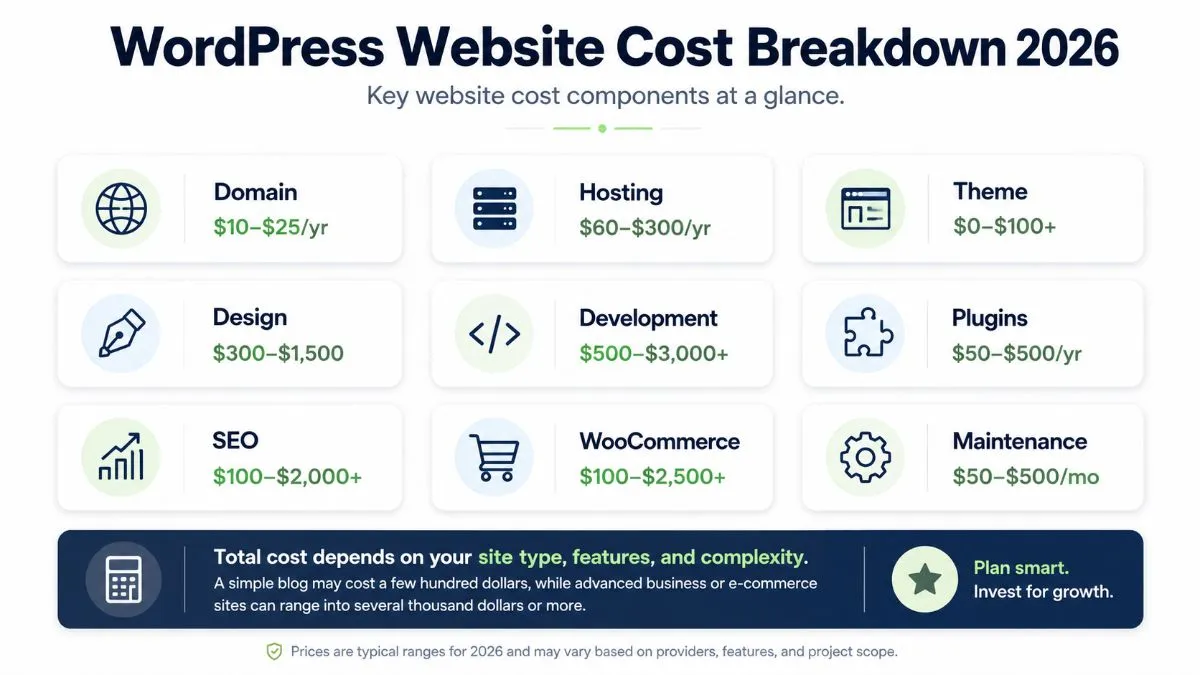
A simple breakdown of the major cost factors that affect WordPress website pricing.
Why WordPress Website Cost Varies So Much
The reason WordPress website pricing feels confusing is because people use the word “website” for very different things.
A five-page brochure website for a local service business is not the same as a WooCommerce store with 500 products. A template-based Elementor website is not the same as a custom-coded WordPress theme. A basic blog is not the same as a booking platform, membership website, learning portal, or multilingual business website.
That is why one person may say a WordPress website costs $300, while another agency may quote $20,000. Both can be correct, but they are not talking about the same level of website.
The biggest factors that affect WordPress website cost are:
Number of pages
Custom design vs template design
Elementor, Oxygen, Gutenberg, or custom theme development
WooCommerce or payment functionality
Booking, membership, directory, or portal features
SEO setup and content structure
Speed optimization and Core Web Vitals
Security setup, backups, and maintenance
Third-party integrations such as CRM, email marketing, WhatsApp, Zapier, Make, or n8n
Experience level of the developer or agency
If your goal is only to “have a website,” you can keep the cost low. But if your goal is to generate leads, build trust, rank on Google, appear in AI search results, and convert visitors into customers, then the website needs better planning, structure, performance, and content.
Basic WordPress Website Costs You Must Know
Before you pay a designer or developer, there are some basic costs every WordPress website needs. These are the foundation of your website.
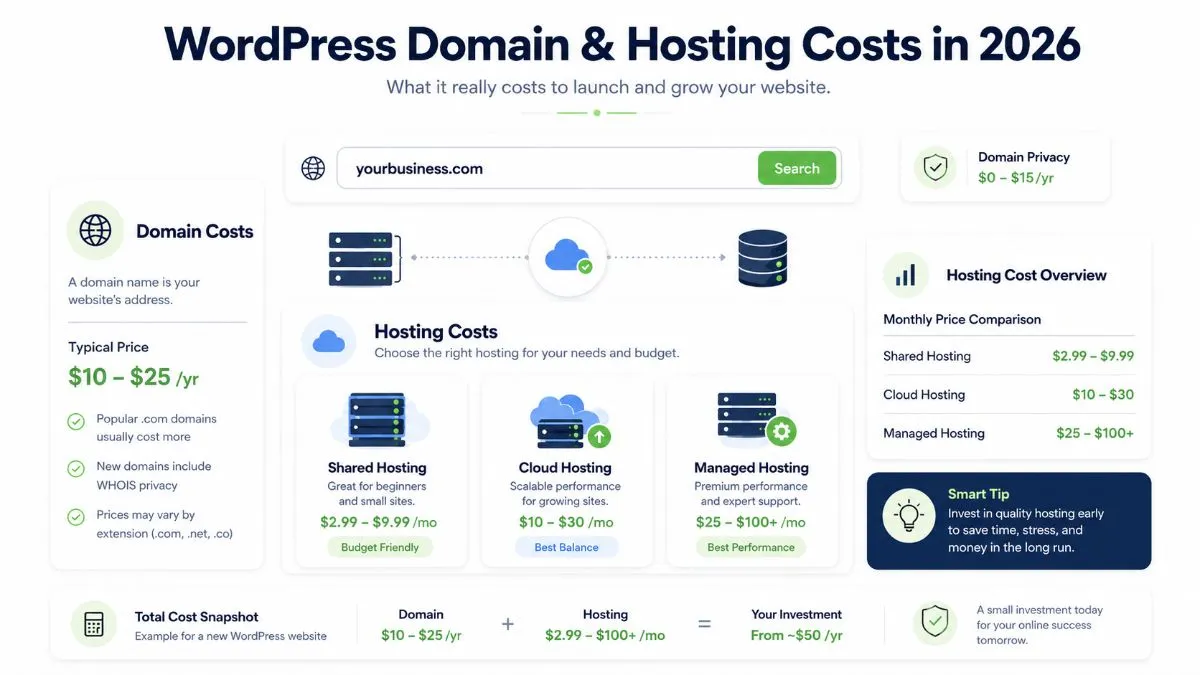
Domain and hosting are the basic yearly costs needed to launch and keep a WordPress website online.
1. Domain Name Cost
A domain name is your website address, such as yourbusiness.com. Most domain names cost around $10 to $20 per year, depending on the extension and registrar.
Hosting is where your website files are stored. Hosting cost usually ranges from $3 to $150+ per month. Cheap shared hosting can work for small websites, but business websites usually perform better on managed WordPress hosting, cloud hosting, or a properly optimized VPS.
Hosting Type
Estimated Cost
Best For
Shared Hosting
$3 – $15/month
Small blogs and starter websites
Managed WordPress Hosting
$20 – $100/month
Business websites that need speed and support
Cloud Hosting
$10 – $150+/month
Growing websites, WooCommerce, high traffic
Dedicated or Enterprise Hosting
$150 – $1,000+/month
Large businesses, portals, enterprise websites
Good hosting is not just about storage. It affects website speed, uptime, security, SEO, and user experience. If your website takes too long to load, visitors may leave before they even see your offer.
An SSL certificate makes your website secure and shows HTTPS in the browser. Many hosting companies now include free SSL through Let’s Encrypt. Paid SSL certificates can cost from $10 to $100+ per year, depending on the type.
For most small business websites, a free SSL certificate is enough. For larger businesses, payment platforms, healthcare, or enterprise websites, a premium SSL setup may be required.
4. WordPress Theme Cost
WordPress themes control the design foundation of your website. Free themes can work well for simple websites. Premium themes usually cost between $40 and $100.
However, buying a theme does not mean your website is complete. A theme gives you a starting point. You still need proper branding, page design, mobile responsiveness, SEO structure, content, speed optimization, and testing.
5. WordPress Plugin Cost
Plugins add functionality to your website. WordPress has thousands of free plugins in the official WordPress plugin directory. But premium plugins are often needed for advanced forms, SEO, security, caching, WooCommerce, memberships, bookings, multilingual websites, and custom fields.
Plugin Type
Estimated Cost
SEO Plugin
$0 – $250/year
Page Builder
$50 – $200+/year
Security Plugin
$0 – $300/year
Backup Plugin
$0 – $150/year
Forms Plugin
$0 – $300/year
WooCommerce Extensions
$50 – $1,000+/year
Premium plugins are not always bad. The problem starts when a website uses too many unnecessary plugins. A professional WordPress developer knows when to use a plugin, when to avoid one, and when custom code is a better solution.
WordPress Website Development Cost in 2026
Development is usually the biggest part of the total WordPress website cost. This includes planning, layout design, page building, responsive setup, custom sections, forms, integrations, SEO setup, testing, and launch.
A basic WordPress website usually includes 4 to 7 pages, such as Home, About, Services, Blog, Contact, and maybe one landing page. This type of website is best for small businesses, consultants, local service providers, personal brands, and startups.
It may include:
WordPress installation
Theme or Elementor setup
Homepage design
Service pages
Contact form
Mobile responsive layout
Basic SEO setup
Speed and security basics
Professional Business Website: $2,500 – $7,500
A professional business website is more strategic. It is not only designed to look good, but also to convert visitors into leads. This type of website usually includes custom page sections, better copy structure, stronger SEO, case studies, FAQs, schema markup, speed optimization, and lead generation setup.
This is the best option for businesses that want a serious online presence.
For example, my own website includes service pages, articles, case studies, project pages, contact pages, and conversion-focused sections. You can explore my WordPress website projects to see examples of professional website structures.
Custom WordPress Website: $5,000 – $25,000+
A custom WordPress website costs more because it requires deeper planning and development. It may include custom post types, advanced fields, dashboards, filters, search systems, booking logic, membership access, directories, API integrations, multilingual content, or custom WooCommerce features.
Custom WordPress development is usually needed when your website has specific business logic that cannot be handled properly with a simple theme or page builder.
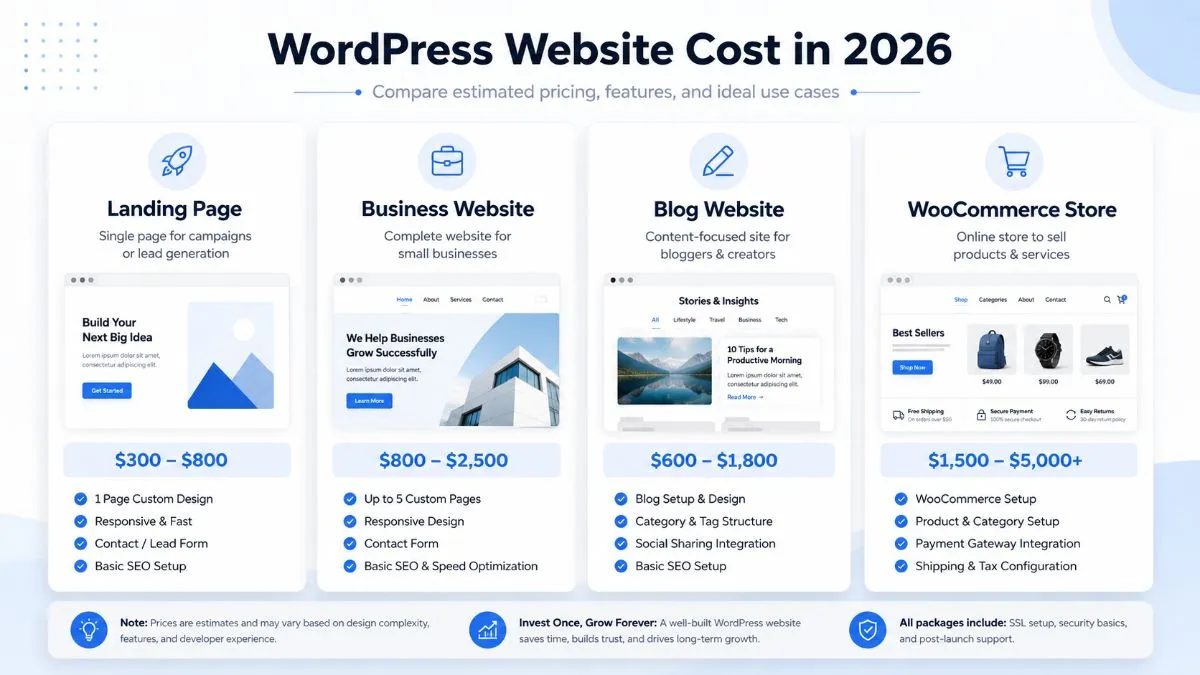
WordPress website pricing depends on the type of website, features, and level of customization required.
1. Blog Website Cost
A simple WordPress blog can cost between $100 and $1,500, depending on whether you build it yourself or hire someone. A blog needs clean typography, categories, SEO structure, fast hosting, and a good content layout.
If your blog is built for affiliate marketing, display ads, or long-term SEO, you should invest more in speed, schema, internal linking, and content templates.
2. Small Business Website Cost
A small business WordPress website usually costs between $800 and $5,000. This type of website needs service pages, trust sections, testimonials, contact forms, Google Maps, call-to-action buttons, and basic local SEO.
Examples include websites for contractors, consultants, agencies, clinics, cleaning companies, law firms, movers, interior designers, and local service providers.
3. Elementor Website Cost
An Elementor website usually costs between $1,000 and $6,000+. Elementor is popular because it allows visual editing, flexible layouts, and easy content updates. However, poorly built Elementor websites can become slow and messy.
A good Elementor website should be lightweight, responsive, properly structured, and optimized for Core Web Vitals.
A WooCommerce website usually costs between $3,000 and $15,000+. The price depends on the number of products, payment gateways, shipping rules, tax settings, product filters, custom checkout, subscriptions, inventory, and third-party integrations.
WooCommerce website costs usually include product setup, checkout, payment integration, shipping, and maintenance.
A basic WooCommerce store is cheaper. A serious eCommerce website needs product strategy, speed optimization, conversion-focused design, email automation, analytics, and security.
5. Membership Website Cost
A WordPress membership website can cost between $3,000 and $20,000+. Membership websites need login systems, protected content, payment plans, user roles, subscription logic, emails, dashboards, and content restriction rules.
The cost increases when you need learning management features, community features, certificates, private messaging, or advanced automation.
6. Directory Website Cost
A directory website can cost between $5,000 and $25,000+. This type of website may include listings, filters, maps, user submissions, paid listing plans, reviews, search functionality, and custom dashboards.
Directory websites are more complex than normal business websites because the content structure and user experience need careful planning.
7. Landing Page Cost
A high-quality WordPress landing page usually costs between $300 and $2,000+. The final cost depends on copywriting, design quality, form setup, analytics, A/B testing, and integrations.
A landing page should not just look beautiful. It should have a clear offer, strong headline, trust signals, benefits, social proof, FAQs, and a focused call to action.
DIY vs Freelancer vs Agency: Which Option Is Best?
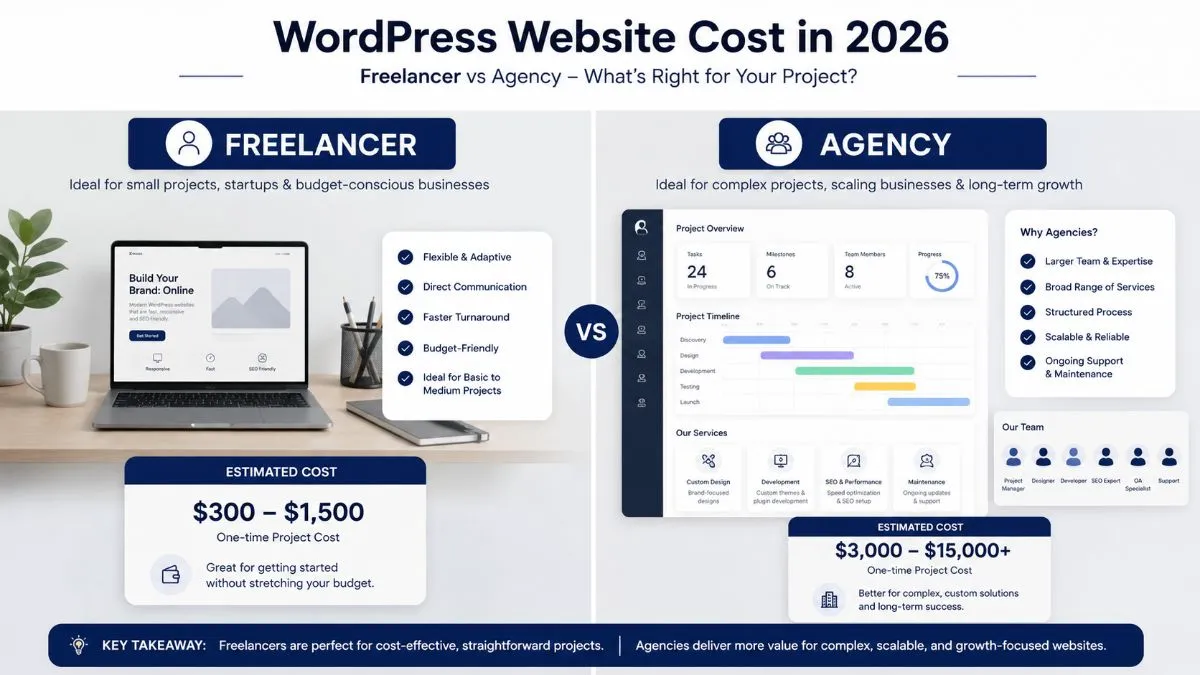
Freelancers usually cost less, while agencies are better suited for larger and more complex WordPress projects.
DIY WordPress Website
A DIY WordPress website is the cheapest option. You can buy hosting, install WordPress, choose a theme, and build pages yourself. This can cost around $100 to $500+ in the first year.
DIY is best if you have more time than budget. But it can become expensive indirectly if you waste weeks fixing design, layout, speed, plugin conflicts, SEO issues, or mobile responsiveness.
Hiring a Freelancer
Hiring a freelancer usually costs between $800 and $7,500+, depending on experience and project scope. A good freelancer is often the best balance between quality and cost.
This is ideal for small businesses, startups, coaches, consultants, agencies, and service providers that need a professional website without agency-level pricing.
If you are looking for a freelancer with WordPress, Elementor, Oxygen, WooCommerce, SEO, and speed optimization experience, you can learn more about me on my about page.
Hiring a Web Design Agency
A web design agency usually costs between $5,000 and $25,000+. Agencies are suitable for larger companies that need strategy, branding, copywriting, design, development, SEO, ads, and long-term marketing support under one roof.
The downside is that agencies often have higher overhead, longer timelines, and less direct communication with the actual developer.
Comparison Table
Option
Cost
Pros
Cons
DIY
$100 – $500+
Low cost, full control
Time-consuming, technical issues, weaker design
Freelancer
$800 – $7,500+
Affordable, flexible, direct communication
Quality depends on the person you hire
Agency
$5,000 – $25,000+
Full team, strategy, branding, marketing
Higher cost, slower process
Hidden WordPress Website Costs Most People Forget
Many business owners only think about the design and development cost. But a website also has hidden costs that can affect your budget.
1. Content Writing
Good content is one of the biggest ranking and conversion factors. If you do not already have content, you may need to pay for website copywriting, service page content, blog articles, FAQs, and meta descriptions.
Basic website content may cost a few hundred dollars. Professional SEO content can cost much more.
2. Images and Graphics
Your website may need stock images, custom graphics, icons, product images, edited photos, or brand visuals. Free images can work, but custom visuals make your website look more premium and trustworthy.
3. SEO Setup
Basic SEO setup includes titles, meta descriptions, headings, sitemap, schema, image alt text, internal links, and Google Search Console setup. Advanced SEO includes keyword research, content planning, technical audits, local SEO, and ongoing optimization.
Speed optimization may include image compression, caching, font optimization, CSS and JavaScript cleanup, database optimization, CDN setup, and hosting improvements.
This matters because a slow website can reduce conversions and hurt search performance.
5. Security and Backups
WordPress websites need regular updates, backups, login protection, malware scanning, and security monitoring. Ignoring security can lead to hacked pages, broken websites, spam redirects, and lost rankings.
6. Premium Licenses
Many premium tools renew yearly. This can include Elementor Pro, WP Rocket, Rank Math Pro, Gravity Forms, Fluent Forms, WPML, ACF Pro, WooCommerce extensions, booking plugins, and security plugins.
7. Website Revisions
Some projects become expensive because the scope keeps changing. To avoid this, define the pages, features, design direction, and content before development starts.
WordPress Website Maintenance Cost in 2026
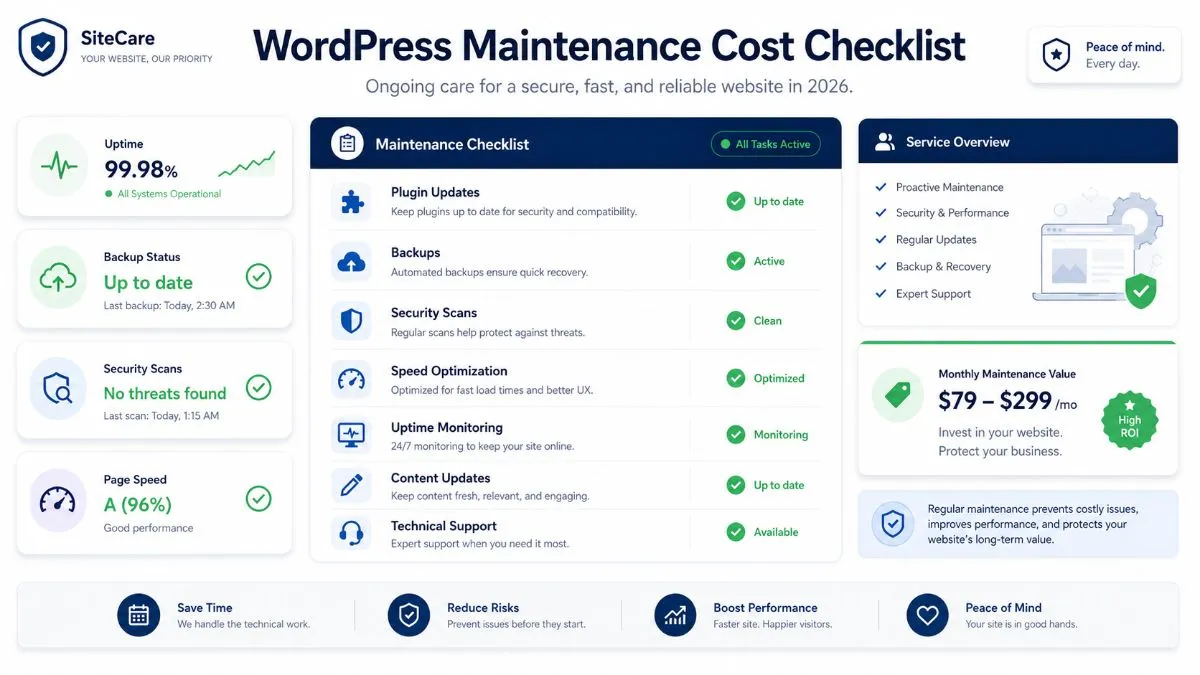
WordPress maintenance usually costs between $50 and $500+ per month for small to medium business websites. Larger websites, WooCommerce stores, and custom platforms may cost more.
Maintenance is important because WordPress websites use themes, plugins, hosting, PHP, databases, and integrations. These things change over time. If you do not maintain your website, it can become slow, outdated, vulnerable, or broken.
Regular WordPress maintenance helps keep your website secure, updated, fast, and reliable.
What WordPress Maintenance Usually Includes
WordPress core updates
Theme and plugin updates
Website backups
Security monitoring
Malware scans
Uptime checks
Speed checks
Minor content updates
Broken link checks
Technical SEO checks
Maintenance Pricing Table
Maintenance Level
Estimated Cost
Includes
Basic Maintenance
$50 – $150/month
Updates, backups, basic security
Business Maintenance
$150 – $500/month
Updates, backups, support, speed checks, SEO basics
WooCommerce Maintenance
$300 – $1,000+/month
Store updates, checkout testing, security, performance
Custom Website Maintenance
$500 – $2,000+/month
Custom development support, monitoring, improvements
Maintenance is not only a technical cost. It protects your website investment. A website that costs $5,000 to build should not be ignored after launch.
How to Build a WordPress Website That Can Rank in Google and AI Search
In 2026, ranking is not only about Google’s traditional blue links. People also discover answers through AI search, AI Overviews, ChatGPT-style tools, and answer engines. That means your WordPress website needs to be clear, structured, trustworthy, and easy for search systems to understand.
To improve your chances of ranking, your WordPress website should include:
Clear service pages targeting specific keywords
Helpful blog content that answers real questions
Strong internal linking between related pages
FAQ sections with direct answers
Schema markup for articles, services, FAQs, local business, and breadcrumbs
Fast loading speed and mobile-friendly design
Author information and trust signals
Case studies and real project examples
Updated content with current pricing and examples
This is why a cheap website often fails. It may look fine visually, but it lacks the structure needed for SEO, AI visibility, and conversions.
How to Save Money on WordPress Website Cost Without Hurting Quality
You do not always need the most expensive website. But you should avoid cutting costs in the wrong places.
1. Start With a Clear Scope
Before hiring anyone, decide how many pages you need, what features are required, and what your main goal is. A clear scope prevents confusion and extra costs.
2. Use WordPress.org Instead of Closed Website Builders
Self-hosted WordPress gives you more control, flexibility, and long-term ownership. Website builders can look cheaper at first, but monthly fees and platform limitations can become expensive later.
3. Avoid Too Many Premium Plugins
Only pay for plugins you actually need. Too many plugins increase cost, slow down the website, and create maintenance issues.
4. Build the Important Pages First
You do not need 50 pages on day one. Start with your homepage, main service pages, about page, contact page, and a few strong blog posts. Then expand over time.
5. Invest in Speed From the Start
Fixing a slow website after launch can cost more than building it properly from the beginning. Use clean design, optimized images, good hosting, and lightweight development practices.
6. Hire the Right Developer
The cheapest developer is not always cheaper in the long run. If the website breaks, loads slowly, has poor SEO structure, or uses messy plugins, you may need to rebuild it later.
A good WordPress developer should understand design, development, speed, SEO, responsiveness, security, and business goals.
What Budget Should You Set for a WordPress Website in 2026?
If you are a small business owner, a realistic budget for a professional WordPress website is usually between $1,500 and $5,000. This range can give you a clean, responsive, SEO-friendly website with proper pages, design, forms, speed basics, and launch support.
If you need WooCommerce, custom functionality, or serious SEO strategy, your budget should be higher.
Recommended Budget by Goal
Your Goal
Recommended Budget
Simple online presence
$500 – $1,500
Professional business website
$1,500 – $5,000
Lead generation website
$2,500 – $7,500
SEO-focused content website
$3,000 – $10,000+
WooCommerce store
$3,000 – $15,000+
Custom platform
$8,000 – $25,000+
If your website is expected to bring leads, sales, bookings, or long-term brand value, treat it as an investment instead of a one-time expense.
Useful External Resources About WordPress Costs
Here are some useful external resources where you can compare WordPress pricing, hosting, plugins, and website cost factors:
WordPress.org — official open-source WordPress platform
A WordPress website can cost from around $100 for a basic DIY website to $15,000+ for a professional or custom website. Most small business WordPress websites cost between $1,000 and $5,000.
Is WordPress free?
Yes, WordPress.org software is free and open source. However, you still need to pay for domain, hosting, design, development, premium plugins, security, and maintenance.
How much does a 5-page WordPress website cost?
A 5-page WordPress website usually costs between $800 and $3,500, depending on design quality, content, SEO setup, responsiveness, and whether it is built with a template or custom layout.
How much does a WordPress website cost per month?
Basic monthly costs can be as low as $5 to $30 for hosting. If you include maintenance, premium plugins, backups, security, and support, the monthly cost can range from $50 to $500+.
How much does a WooCommerce website cost?
A WooCommerce website usually costs between $3,000 and $15,000+, depending on products, payment gateways, shipping rules, checkout customization, integrations, and performance requirements.
Is it cheaper to use Wix or WordPress?
Wix can be cheaper and easier at the beginning, but WordPress is usually more flexible and scalable long term. WordPress gives you more control over SEO, hosting, customization, plugins, and ownership.
Should I hire a freelancer or an agency?
If you are a small business, a skilled freelancer can often give you the best balance of quality and cost. If you need branding, strategy, copywriting, design, development, ads, and long-term marketing, an agency may be a better fit.
Why do WordPress website quotes vary so much?
Quotes vary because every website has different requirements. A simple brochure website is much cheaper than a WooCommerce store, membership platform, directory website, or custom business system.
Can I build a WordPress website myself?
Yes, you can build a WordPress website yourself if you have time to learn hosting, themes, plugins, design, SEO, and maintenance. But if your website is for a serious business, hiring a professional can save time and prevent costly mistakes.
What is the best budget for a professional WordPress website?
For most small businesses, a good professional WordPress website budget is between $1,500 and $5,000. This allows room for better design, mobile responsiveness, SEO setup, performance optimization, and launch support.
Final Thoughts: What Should You Really Pay for a WordPress Website?
The real WordPress website cost depends on your goal. If you only need a simple online presence, you can start with a smaller budget. But if your website needs to generate leads, rank in Google, appear in AI search results, load fast, and build trust, you should invest in a professional build.
A good WordPress website is not just a design. It is a business asset. It should be fast, secure, mobile-friendly, easy to update, SEO-ready, and built around your customers.
If you want a WordPress website built with clean design, strong structure, speed optimization, and SEO foundations, I can help.
To provide the best experiences, we use technologies like cookies to store and/or access device information. Consenting to these technologies will allow us to process data such as browsing behavior or unique IDs on this site. Not consenting or withdrawing consent, may adversely affect certain features and functions.
Functional
Always active
The technical storage or access is strictly necessary for the legitimate purpose of enabling the use of a specific service explicitly requested by the subscriber or user, or for the sole purpose of carrying out the transmission of a communication over an electronic communications network.
Preferences
The technical storage or access is necessary for the legitimate purpose of storing preferences that are not requested by the subscriber or user.
Statistics
The technical storage or access that is used exclusively for statistical purposes.The technical storage or access that is used exclusively for anonymous statistical purposes. Without a subpoena, voluntary compliance on the part of your Internet Service Provider, or additional records from a third party, information stored or retrieved for this purpose alone cannot usually be used to identify you.
Marketing
The technical storage or access is required to create user profiles to send advertising, or to track the user on a website or across several websites for similar marketing purposes.