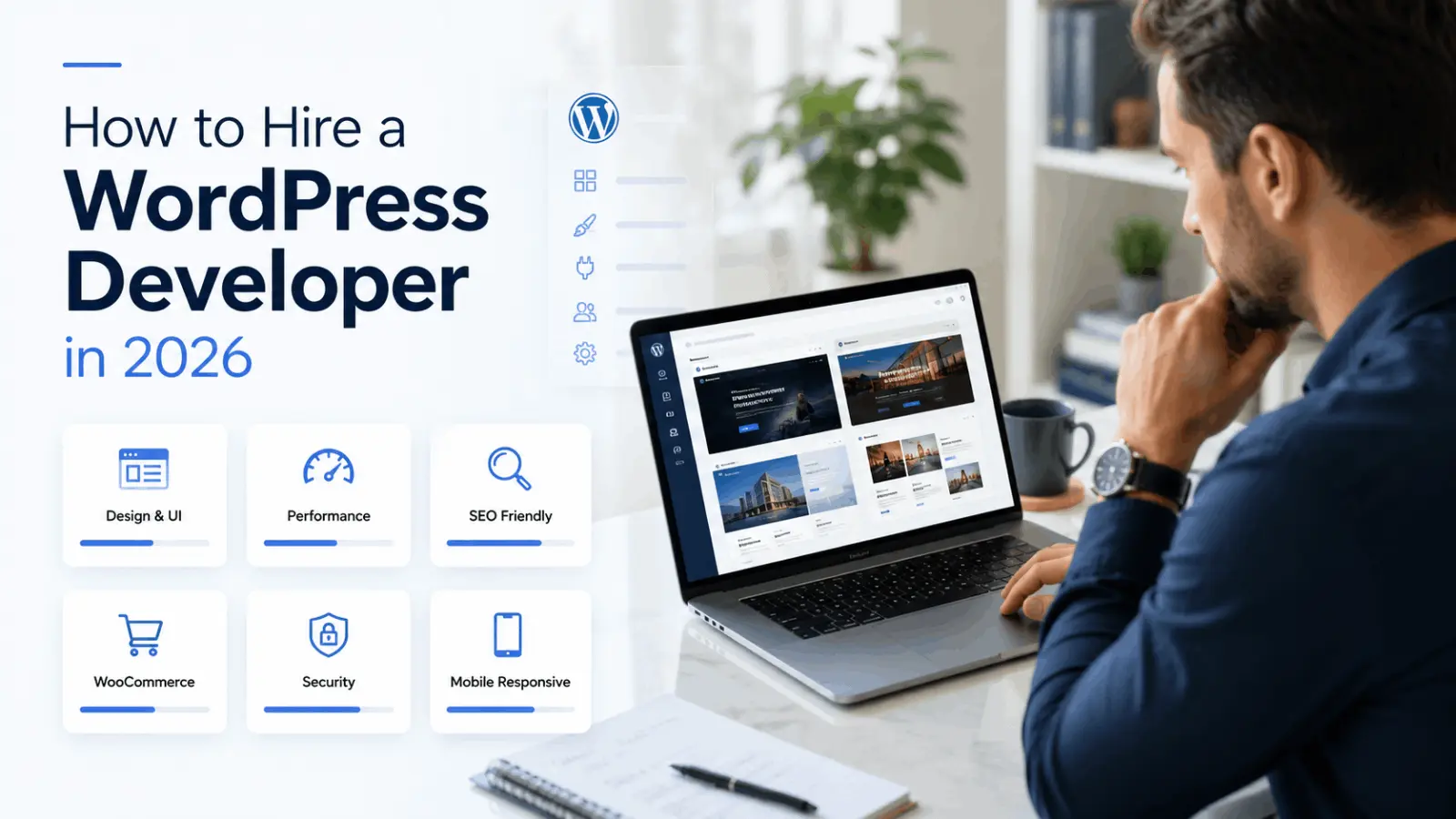
A professional WordPress developer does much more than install a theme, drag sections into a page builder, or add a few plugins. The right developer can help you build a fast, secure, mobile-friendly, SEO-ready, conversion-focused website that supports your business goals for years.
WordPress is an open-source publishing platform used by creators, small businesses, and enterprises. You can learn more from the official WordPress.org website. If your goal is to build a website that can rank on Google and AI search, your content and website structure should also follow Google’s guidance on helpful, reliable, people-first content.
Quick Answer: How Do You Hire a WordPress Developer?
To hire a WordPress developer, first define your website goal, required pages, features, budget, timeline, and preferred build method. Then review the developer’s portfolio, WordPress experience, technical skills, communication style, speed optimization knowledge, SEO understanding, and past project results. Before starting, ask for a clear proposal, timeline, payment structure, revision policy, and post-launch support plan.
If you need a fast, SEO-ready WordPress website, you can explore my WordPress development service, review my website design projects, or request a project estimate through my instant estimate page.
Simple Definition
A WordPress developer is a professional who builds, customizes, optimizes, secures, and maintains websites using WordPress. A good WordPress developer can work with themes, plugins, page builders, custom code, WooCommerce, performance optimization, technical SEO, and long-term website support.
What Does a WordPress Developer Do?
A WordPress developer builds, customizes, improves, and maintains websites using WordPress. Their work can include website design, theme customization, plugin setup, WooCommerce development, speed optimization, technical SEO, custom coding, security, migration, troubleshooting, and ongoing support.
Many business owners think a WordPress developer only creates pages. In reality, a good developer understands the complete website system. That includes design structure, mobile responsiveness, performance, SEO basics, user experience, backend setup, hosting environment, plugin compatibility, and long-term website health.
If your website needs to generate leads, bookings, quote requests, sales, calls, or search traffic, you should not treat WordPress development as simple drag-and-drop work. A strong WordPress developer helps build a website that looks professional, loads fast, works properly, and supports business growth.
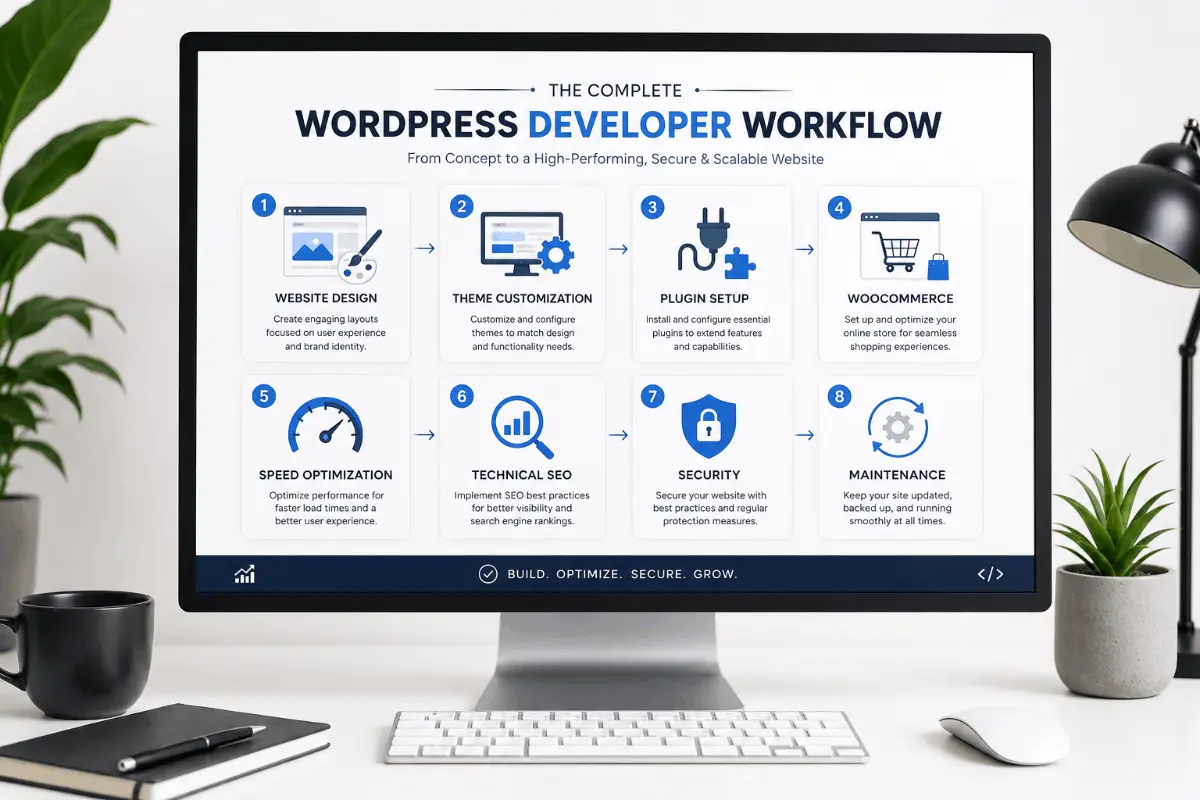
Website Design and Development
Website design and development is one of the main responsibilities of a WordPress developer. This includes planning the structure of the website, building page layouts, adding content sections, setting up navigation, creating responsive pages, and making sure the website works properly across desktop, tablet, and mobile devices.
A professional WordPress developer should understand both design and functionality. The website should not only look attractive; it should guide visitors toward important actions such as submitting a form, requesting a quote, booking a call, buying a product, or contacting your business.
For example, a service-based business website may need a strong homepage, service pages, about page, contact page, testimonials, FAQs, trust sections, project examples, and clear call-to-action buttons. You can review examples of my work on the website projects page.
Theme Customization
Theme customization means modifying an existing WordPress theme to match your brand, content, and business requirements. This can include colors, typography, layouts, spacing, header design, footer design, blog templates, archive pages, service pages, and custom sections.
However, theme customization should be handled carefully. Poor customization can make a website slow, difficult to update, or unstable after theme updates. A good WordPress developer knows when to use a theme, when to create a child theme, when to use custom CSS, and when to avoid bloated theme features.
If you want a clean, professional website, hire a WordPress developer who understands lightweight structure instead of relying only on heavy pre-made templates.
Plugin Setup and Customization
Plugins add extra functionality to a WordPress website. Common plugins are used for SEO, forms, caching, backups, analytics, security, WooCommerce, memberships, multilingual websites, custom fields, popups, and integrations.
A good WordPress developer does not install plugins randomly. They choose plugins carefully based on performance, security, compatibility, update history, and long-term maintenance. Too many unnecessary plugins can slow down your website, create conflicts, increase security risks, and make future updates difficult.
Before you hire a WordPress developer, ask which plugins they plan to use and why. A professional developer should be able to explain the purpose of each plugin clearly.
WooCommerce Development
WooCommerce development is important if you want to sell products or services online. A WooCommerce developer can create product pages, category pages, cart pages, checkout pages, payment gateway setup, shipping rules, tax settings, order notifications, and custom store functionality.
WooCommerce describes itself as an open-source commerce platform for WordPress that gives merchants control over checkout, data, costs, payments, features, and hosting. You can learn more from the official WooCommerce website.
WooCommerce websites need extra care because they handle transactions, customer data, product management, and performance-heavy pages. A slow checkout or confusing product page can reduce sales. If you are building an online store, hire a WordPress developer with real WooCommerce experience.
Speed Optimization
Speed optimization is one of the most important parts of modern WordPress development. A slow website can hurt user experience, conversions, and search performance. A professional WordPress developer should understand caching, image optimization, lazy loading, font loading, script optimization, CSS cleanup, database cleanup, and hosting-related performance improvements.
Google explains that Core Web Vitals measure real-world user experience for loading performance, interactivity, and visual stability. You can read Google’s official documentation on Core Web Vitals and Google Search, or test your website using PageSpeed Insights.
If your Elementor website is slow, you can also read my detailed guide on how to speed up an Elementor website.
Technical SEO Setup
Technical SEO helps search engines crawl, understand, and index your website correctly. A WordPress developer may not be a full SEO strategist, but they should understand the technical foundation that supports SEO.
This includes clean URL structure, proper heading hierarchy, schema markup, XML sitemap setup, robots.txt basics, canonical tags, internal linking, image alt text, mobile responsiveness, page speed, and indexability checks.
Google’s SEO Starter Guide explains that SEO is about helping search engines understand your content and helping users find your site through search. If your business depends on Google traffic, do not hire a WordPress developer who ignores SEO structure.
Security and Maintenance
WordPress websites need regular maintenance. This includes updating WordPress core, themes, and plugins; creating backups; monitoring security; checking broken forms; fixing errors; reviewing performance; and making sure the website keeps working after updates.
A good WordPress developer can help you set up basic security practices such as strong login protection, regular backups, trusted plugins, SSL, spam protection, firewall settings, and safe update procedures.
Before hiring a developer, ask if they provide post-launch support or a maintenance plan. A website is not finished forever after launch. It needs care, updates, and improvements over time.
When Should You Hire a WordPress Developer?
You should hire a WordPress developer when your website needs professional design, custom functionality, better speed, SEO structure, WooCommerce setup, troubleshooting, redesign, migration, or reliable long-term support. If your website is important for your business, hiring a professional is usually better than trying to fix everything yourself.
You Need a Professional Website
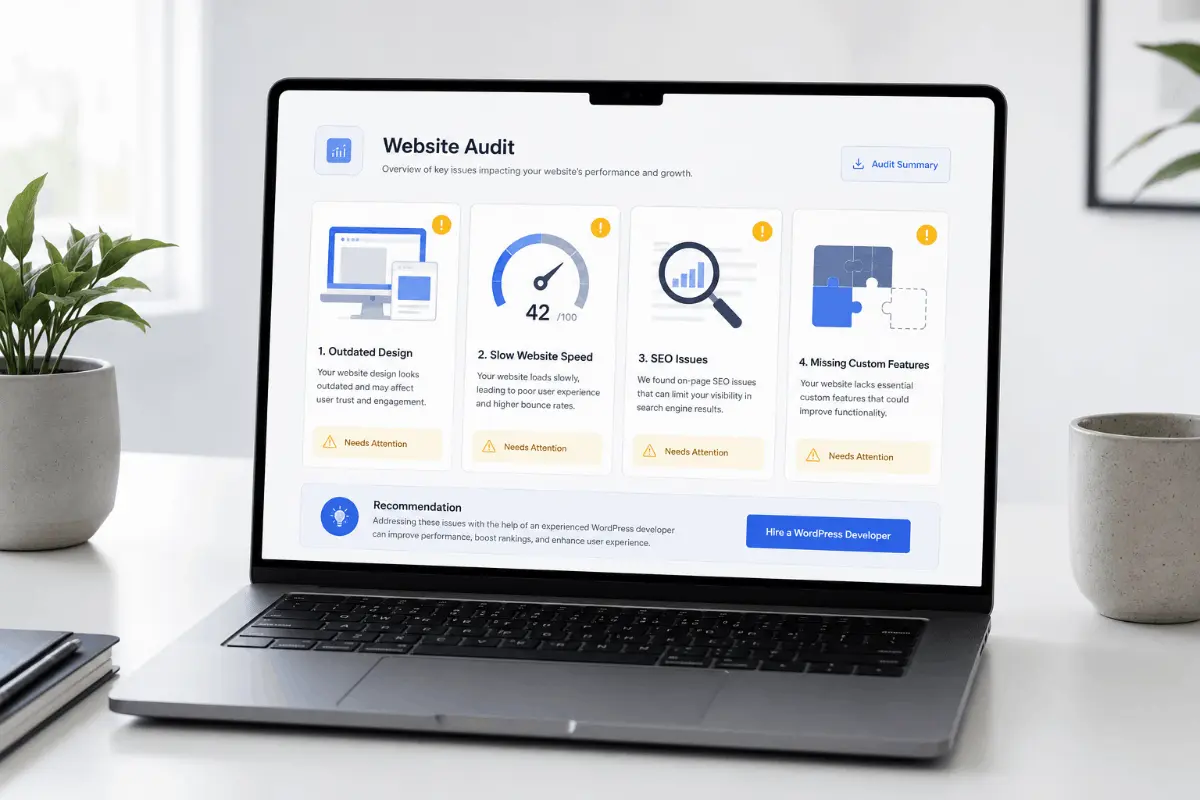
If your business does not have a website or your current website looks outdated, it is time to hire a WordPress developer. Your website is often the first impression potential customers have of your business. A weak design can make visitors lose trust quickly.
A professional website should clearly explain who you are, what you offer, why someone should trust you, and how they can contact or hire you. It should also load quickly, work well on mobile, and guide visitors toward action.
If you need a complete business website, you can explore my WordPress services and choose the right service for your project.
Your Website Is Slow
If your WordPress website takes too long to load, visitors may leave before they even see your content. Slow websites are common when they use heavy themes, too many plugins, large images, poor hosting, unoptimized scripts, or badly structured page builder layouts.
Hiring a WordPress developer for speed optimization can help improve loading time, user experience, and technical quality. This is especially useful if you already have traffic but your website is not converting well.
For performance-focused support, visit my website speed optimization service.
You Need Custom Features
You should hire a WordPress developer when you need features that are not available in a simple theme setup. This may include custom post types, advanced forms, booking systems, filters, directories, membership areas, custom dashboards, WooCommerce customizations, API integrations, or automation workflows.
Custom functionality requires planning and technical skill. If done poorly, it can break your website or create future maintenance problems. A skilled developer will build the feature in a clean, scalable, and maintainable way.
You Want Better SEO and Conversions
If your website is not bringing leads, calls, or sales, the problem may not be traffic alone. Your design, content structure, page speed, calls to action, mobile layout, internal linking, trust sections, and forms may need improvement.
A WordPress developer with SEO and conversion knowledge can improve landing pages, service pages, technical SEO, schema, internal links, form placement, and page experience. If you serve local customers, you may also benefit from my local SEO strategy for 2026.
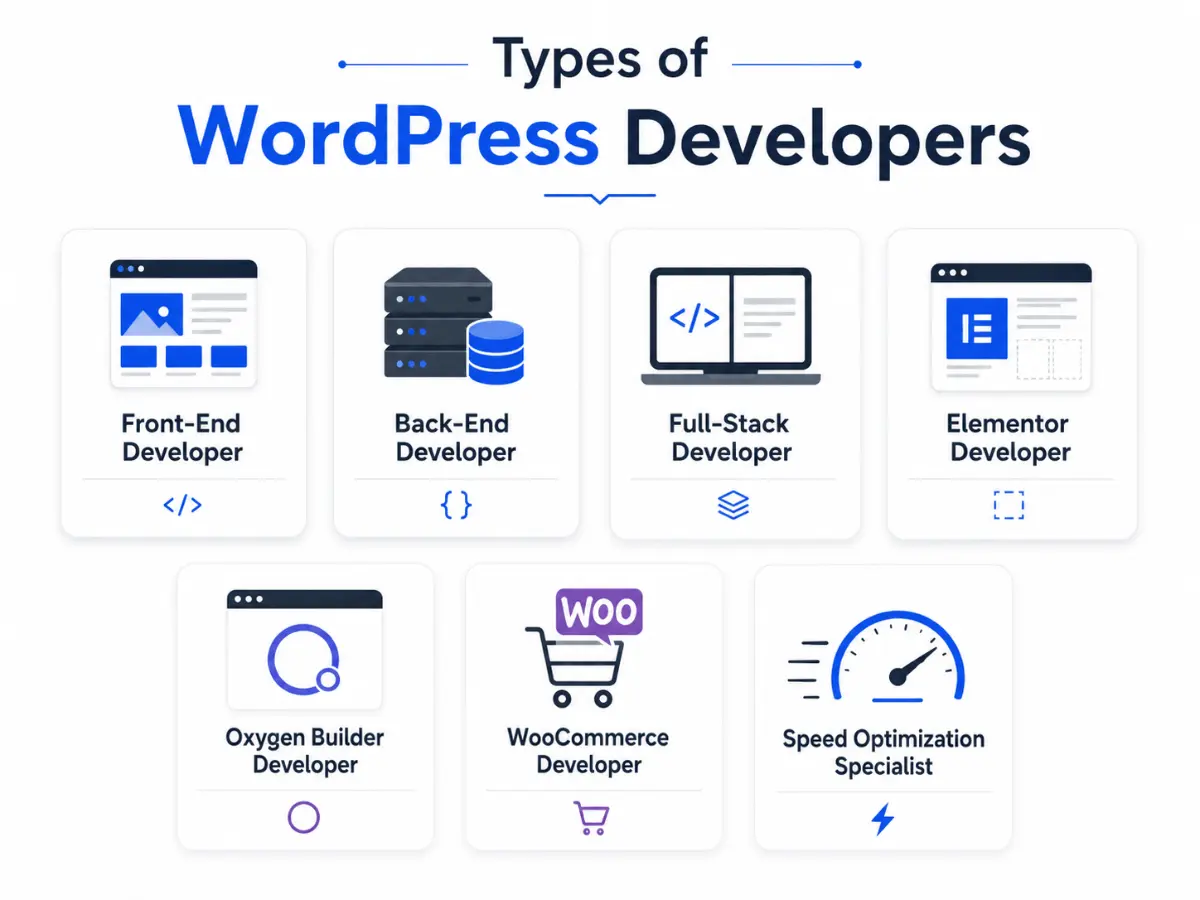
Types of WordPress Developers You Can Hire
Not every WordPress developer has the same skills. Some focus on design, some focus on custom coding, some specialize in WooCommerce, and others focus on speed optimization or technical SEO. Before you hire a WordPress developer, you should understand which type of developer your project needs.
Front-End WordPress Developer
A front-end WordPress developer focuses on the visible part of your website. This includes layout, styling, responsiveness, buttons, spacing, typography, animations, menus, and user experience. They usually work with HTML, CSS, JavaScript, page builders, and theme templates.
You should hire a front-end WordPress developer if your main goal is to improve the design, mobile layout, landing pages, or visual quality of your website.
Back-End WordPress Developer
A back-end WordPress developer focuses on the technical side of the website. This may include PHP, database work, custom plugins, API integrations, user roles, custom post types, advanced fields, and complex functionality.
You should hire a back-end WordPress developer if your website needs custom logic, integrations, advanced WooCommerce changes, membership features, directories, or complex backend systems.
Full-Stack WordPress Developer
A full-stack WordPress developer can handle both front-end and back-end work. This type of developer is useful when you need someone who can design, build, customize, optimize, troubleshoot, and maintain the complete website.
For small businesses and growing brands, hiring a full-stack WordPress developer can be a smart choice because you get one person who understands the whole website system.
Elementor Developer
An Elementor developer specializes in building WordPress websites with Elementor. Elementor is a popular WordPress website builder used by professionals, creatives, and businesses. You can learn more from the official Elementor website.
A good Elementor developer should know how to build clean layouts, avoid unnecessary widgets, optimize assets, create responsive designs, and keep the website fast. If you need an Elementor website, visit my hire Elementor developer service page.
Oxygen Builder Developer
An Oxygen Builder developer builds WordPress websites using Oxygen, a powerful visual builder known for flexible design control and lightweight output when used properly.
Oxygen is a good choice for performance-focused websites, custom layouts, and developers who want more control over the structure. If you need this type of build, explore my hire Oxygen developer service.
WooCommerce Developer
A WooCommerce developer specializes in online stores. They can help with product pages, checkout pages, payment gateways, shipping rules, tax settings, inventory, cart customization, and store speed optimization.
You should hire a WooCommerce developer if your website needs to sell physical products, digital products, subscriptions, bookings, or services online.
Speed Optimization Specialist
A WordPress speed optimization specialist focuses on making websites load faster. This includes improving Core Web Vitals, reducing unused CSS and JavaScript, optimizing images, improving caching, cleaning databases, reducing plugin load, and improving hosting configuration.
If your website already exists but loads slowly, hiring a speed optimization specialist may be better than hiring a general developer.
What Skills Should a WordPress Developer Have in 2026?
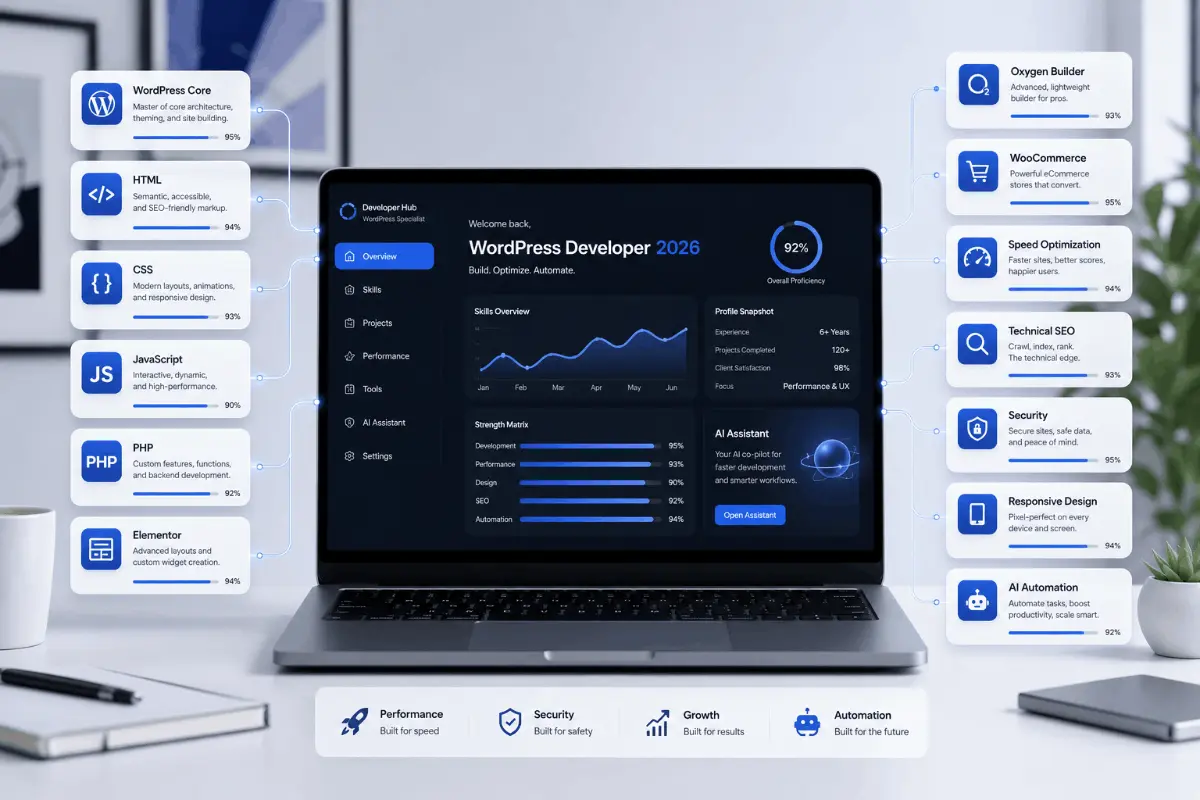
A good WordPress developer in 2026 should understand more than basic WordPress setup. They should know WordPress core, responsive design, page builders, HTML, CSS, JavaScript, PHP, speed optimization, technical SEO, security, WooCommerce, accessibility basics, and modern AI-assisted workflows.
WordPress Core Knowledge
WordPress core knowledge means the developer understands how WordPress works behind the scenes. This includes themes, plugins, posts, pages, taxonomies, menus, widgets, templates, custom post types, users, roles, and the admin dashboard.
A developer with weak WordPress knowledge may rely too heavily on plugins and shortcuts. A strong developer understands how to build cleanly, fix problems, and avoid unnecessary complexity.
HTML, CSS, JavaScript, and PHP
Even if your website is built with a page builder, your developer should understand code. HTML controls structure, CSS controls styling, JavaScript controls interactive behavior, and PHP powers WordPress themes and plugins.
When a developer understands these languages, they can fix layout issues, create custom sections, improve performance, customize templates, and solve problems that cannot be fixed with settings alone.
Page Builder Experience
Many modern WordPress websites are built with page builders like Elementor, Oxygen Builder, Gutenberg, Bricks, Divi, or WPBakery. A developer should understand the builder they are using deeply.
Good page builder experience means the developer can build flexible layouts without creating bloated pages. They should also know how to optimize responsive views, reduce extra containers, manage global styles, and keep the editing experience simple for the website owner.
Responsive Design
Responsive design means your website should work properly on desktop, laptop, tablet, and mobile screens. Since many users browse from mobile devices, your developer must test every important page on smaller screens.
A responsive website should have readable text, properly spaced buttons, clean navigation, fast-loading images, and forms that are easy to use on mobile.
Speed Optimization
Speed optimization is no longer optional. A WordPress developer should understand how to make a website faster before and after launch. This includes image compression, lazy loading, caching, font optimization, CSS optimization, JavaScript delay, plugin reduction, and clean layout structure.
Speed should be considered from the start of the project, not only after the website becomes slow. The best WordPress developers build with performance in mind from day one.
Technical SEO
Technical SEO helps search engines crawl, index, and understand your website. A developer should know how to set up clean URLs, headings, schema, meta structure, internal links, sitemaps, robots.txt, canonical tags, and mobile-friendly layouts.
Google explains that structured data can help Google understand page content. You can read the official guide on structured data markup in Google Search.
Security
Security is important for every WordPress website. Your developer should know how to use trusted plugins, set up backups, protect login pages, avoid nulled themes, use strong passwords, keep software updated, and reduce unnecessary risk.
Security is especially important for WooCommerce websites, membership websites, websites with user accounts, and websites that collect customer information.
WooCommerce
If you are building an online store, WooCommerce experience is essential. Your developer should understand product setup, checkout flow, payment gateways, shipping, taxes, emails, coupons, cart behavior, speed, and mobile shopping experience.
A WooCommerce website is more complex than a normal business website. Choose a developer who has worked on eCommerce projects before.
AI and Automation Awareness
In 2026, a strong WordPress developer should also understand how AI and automation can support websites. This may include AI-assisted content workflows, lead routing, CRM connections, WhatsApp notifications, email automation, AI chat systems, and no-code integrations.
If your business wants to save time and automate repetitive work, hiring a developer who understands WordPress plus automation can give you an advantage. You can also explore my Lovable to WordPress service if you are converting an AI-generated website into a professional WordPress build.
How Much Does It Cost to Hire a WordPress Developer in 2026?
The cost to hire a WordPress developer in 2026 depends on the project scope, website size, developer experience, design quality, custom functionality, SEO requirements, speed optimization needs, content migration, integrations, and post-launch support.
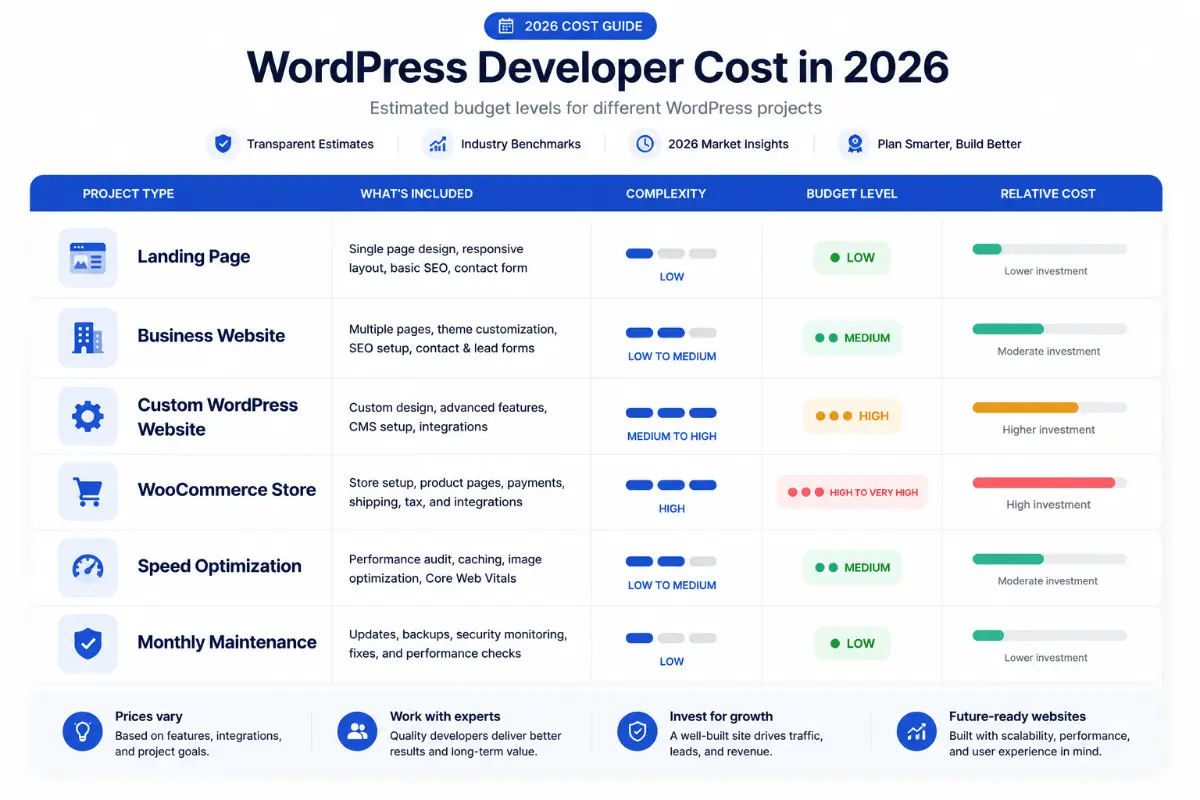
WordPress Developer Pricing Table
| Project Type | Estimated Cost | Best For |
|---|---|---|
| Basic WordPress Website | $300 – $800 | Simple business or personal websites |
| Professional Business Website | $600 – $1,500 | Service businesses, consultants, local companies |
| Custom WordPress Website | $1,500 – $5,000+ | Brands that need custom layouts and features |
| WooCommerce Store | $1,000 – $5,000+ | Online stores and eCommerce businesses |
| Landing Page | $150 – $700 | Ads, campaigns, service offers, lead generation |
| Speed Optimization | $150 – $1,000 | Slow WordPress, Elementor, or WooCommerce websites |
| Monthly Maintenance | $50 – $500/month | Updates, backups, security, support, small changes |
| Hourly WordPress Developer | $15 – $100+/hour | Fixes, custom tasks, ongoing development |
These ranges are general estimates. The final cost depends on the details of your project. A website with custom design, SEO structure, speed optimization, content migration, forms, animations, and integrations will cost more than a simple template-based website.
Fixed Price vs Hourly Rate
You can hire a WordPress developer on a fixed price or hourly basis. A fixed price is better when the project scope is clear. For example, a five-page business website with defined sections, content, and features can be quoted as a fixed project.
An hourly rate is better when the scope is flexible, technical, or ongoing. Bug fixes, custom plugin changes, WooCommerce troubleshooting, speed optimization, and website maintenance may be better handled hourly.
Why Prices Vary
WordPress development prices vary because every website is different. A developer’s experience, location, skill level, design quality, coding ability, SEO knowledge, speed optimization knowledge, communication process, and testing process all affect the cost.
A cheap developer may save money in the beginning, but poor development can cost more later if the website needs to be rebuilt, fixed, secured, or optimized. A professional developer usually costs more because they understand structure, quality, performance, and long-term maintainability.
Need a Clear WordPress Website Estimate?
If you are not sure how much your WordPress website should cost, use my estimate page to get a better idea based on your project type and requirements.
Where Can You Hire a WordPress Developer?
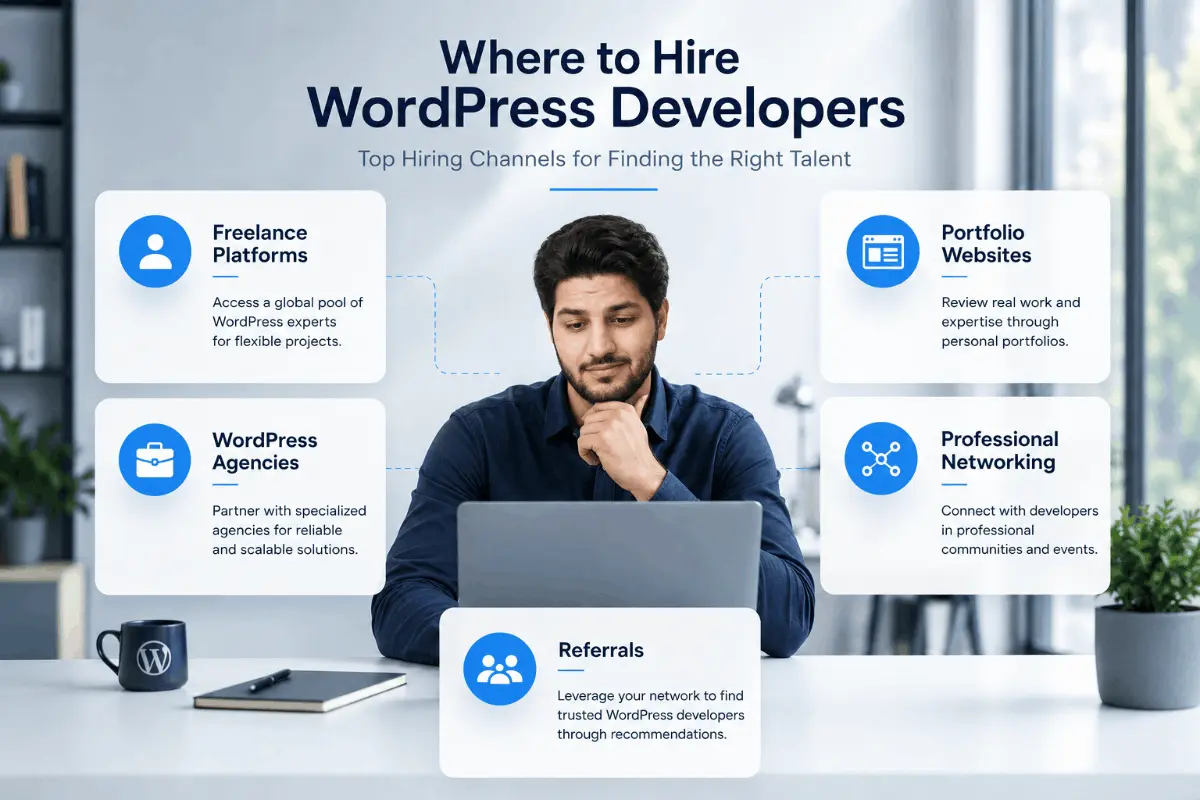
You can hire a WordPress developer from freelance platforms, WordPress agencies, portfolio websites, LinkedIn, referrals, and local web development companies. The best option depends on your budget, project complexity, timeline, and communication preference.
Freelance Platforms
Freelance platforms are useful if you want to compare multiple WordPress developers, review ratings, check work history, and hire someone for a specific project. Common freelance platforms include Upwork, Fiverr Pro, PeoplePerHour, and similar marketplaces.
The benefit of freelance platforms is that you can see reviews and past work. The downside is that quality varies a lot. You still need to review portfolios carefully and ask the right questions before hiring.
WordPress Agencies
WordPress agencies are usually better for larger projects that need a full team. An agency may provide strategy, design, development, content, SEO, testing, project management, and long-term support.
The main benefit of hiring an agency is that you get a team. The main downside is cost. Agencies are usually more expensive than freelance developers.
Portfolio Websites
Hiring through a personal portfolio website is one of the best ways to find a serious WordPress developer. A portfolio website lets you review the developer’s services, case studies, design style, technical focus, testimonials, and direct contact options.
For example, on Hire Abdul Rehman, you can explore my WordPress services, view real projects, read WordPress articles, and contact me directly through my contact page.
LinkedIn can be useful if you want to hire a WordPress developer based on professional background, experience, recommendations, and direct conversation. You can search for WordPress developers, Elementor experts, WooCommerce developers, or website speed optimization specialists.
When using LinkedIn, always ask for portfolio links and examples of real work before making a decision.
Referrals
Referrals are powerful because someone you trust has already worked with the developer. If another business owner had a good experience, that can reduce your risk.
Still, do not hire only based on referral. Check the developer’s recent work, communication style, process, and whether they are the right fit for your specific project.
Freelance WordPress Developer vs Agency vs In-House Developer
When you want to hire a WordPress developer, you usually have three main options: freelance developer, WordPress agency, or in-house developer. Each option has advantages and disadvantages.
| Option | Best For | Pros | Cons |
|---|---|---|---|
| Freelance WordPress Developer | Small businesses, startups, agencies, service websites, redesigns | Affordable, flexible, direct communication, faster decisions | Quality depends on individual skill and availability |
| WordPress Agency | Larger projects, corporate websites, complex campaigns | Team support, defined process, multiple specialists | Higher cost, slower communication, more management layers |
| In-House Developer | Companies with daily website development needs | Full control, regular availability, deep brand knowledge | Salary cost, hiring process, management responsibility |
For most small businesses, consultants, local companies, service providers, and growing brands, hiring an experienced freelance WordPress developer is often the best balance of cost, quality, and flexibility.
If you need a reliable freelance WordPress developer for a business website, website redesign, Elementor build, Oxygen Builder project, or speed optimization task, visit my hire me page.
How to Check a WordPress Developer’s Portfolio
A portfolio is one of the best ways to evaluate a WordPress developer. It shows what they have built, what industries they have worked with, and whether their design quality matches your expectations.
Review Real Projects
Look for real website projects, not only screenshots or templates. A strong portfolio should include live websites, case studies, or project pages explaining what was built.
You can review examples from my portfolio, including business websites, eCommerce projects, local service websites, SaaS-style websites, healthcare websites, travel websites, and more on my projects page.
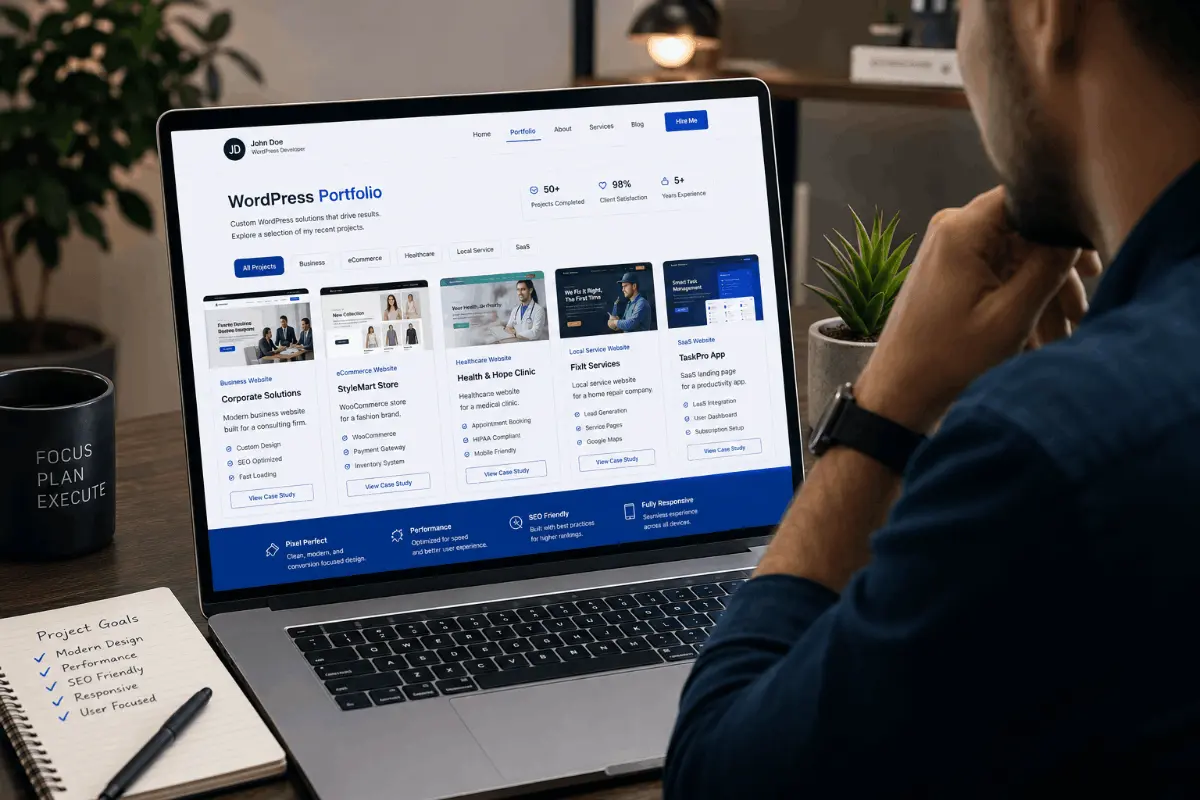
Relevant project examples include:
- Zevel Premium Jewellery E-Commerce Website
- JR Scan Printer Website Design
- Toll Parking Violation Management Website
- City Parking Smart Parking System Website
- AR Vista Apartments Website
- AirFly Travels Website
- Aatma Aesthetics Clinic Website
- The Sesh Bars Mobile Bar Hire Website
- Reading School of Martial Arts Website
- Paracon Construction Fitout Website
- Peroda AI Business Automation SaaS Website
- Ezra Medical Center Healthcare Website
- Zadbox Fresh Meal Delivery Website
- International Cuisine Company Website
- Detail Boys Automotive Detailing Website
- London Web Design Agency Website
- Bamboo Flooring E-Commerce Website
- Translation and Interpretation Website
- Glass Website Design
- IT Company Website Design
- Home Care Website Design
- Event Discovery Platform for Minneapolis Saint Paul
Test Mobile Responsiveness
Open the developer’s portfolio websites on your mobile phone. Check if the text is readable, buttons are easy to tap, images load correctly, menus work properly, and forms are easy to complete.
A website that looks good on desktop but breaks on mobile is not professionally finished.
Check Website Speed
Speed is a major quality signal. Test some of the developer’s work using PageSpeed Insights, GTmetrix, or real browser testing. A good developer should be able to explain what they do to keep websites fast.
Do not expect every portfolio website to score perfectly because hosting, client changes, tracking scripts, ads, and plugins can affect speed. But the developer should understand performance and know how to improve it.
Review SEO Structure
Check if the developer’s websites have clear headings, proper page titles, clean URLs, internal links, optimized images, and readable content. SEO is not only about keywords. It is also about structure and user experience.
If ranking on Google is important for your business, hire a developer who understands SEO-ready website structure.
Ask What They Built
Sometimes developers show projects where they only made small edits. Ask what part of the project they actually handled. Did they design the website, build it, optimize speed, set up SEO, fix bugs, or only update content?
A professional developer will be transparent about their role in each project.
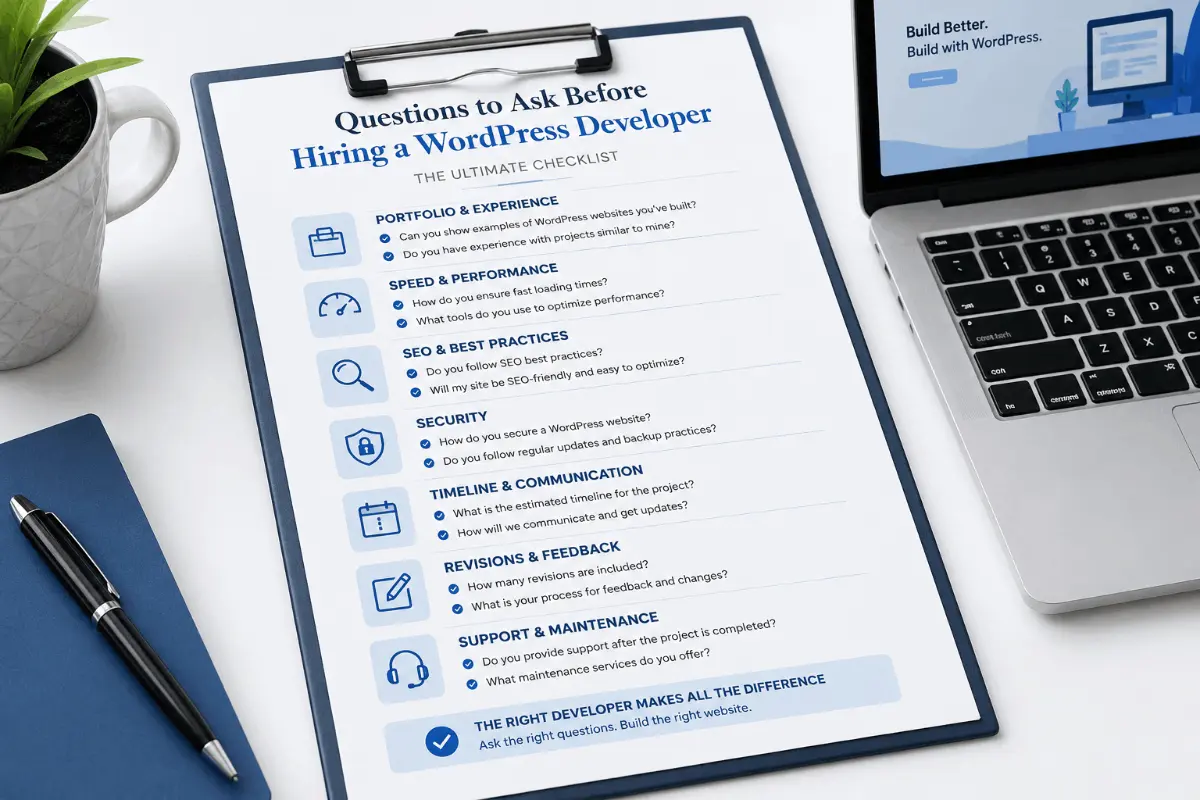
Questions to Ask Before Hiring a WordPress Developer
Asking the right questions before hiring can save you from delays, poor quality, and unexpected costs. Use these questions to evaluate whether a WordPress developer is the right fit for your project.
- How many years of WordPress development experience do you have?
- Can I see your recent WordPress website projects?
- Have you worked on websites similar to mine?
- Do you use Elementor, Oxygen Builder, Gutenberg, or custom coding?
- Will the website be fully responsive on mobile and tablet?
- Do you include speed optimization in the project?
- Do you set up basic technical SEO?
- Will I be able to edit the website myself after launch?
- What plugins do you usually use and why?
- Will you use a pre-made theme or custom layout?
- Do you create backups before making changes?
- How many revisions are included?
- What is the estimated timeline?
- What do you need from me to start?
- Do you provide post-launch support?
- Can you help with hosting, migration, or domain setup?
- How do you handle security and updates?
- Do you test the website before launch?
- What happens if something breaks after launch?
- Can you provide a written proposal or scope?
A professional WordPress developer should be able to answer these questions clearly. If they avoid details, give vague answers, or cannot explain their process, that may be a warning sign.
Red Flags to Avoid When Hiring a WordPress Developer
Not every WordPress developer is the right choice. Some may be inexperienced, careless, slow to communicate, or overly dependent on plugins and templates. Watch for these red flags before hiring.
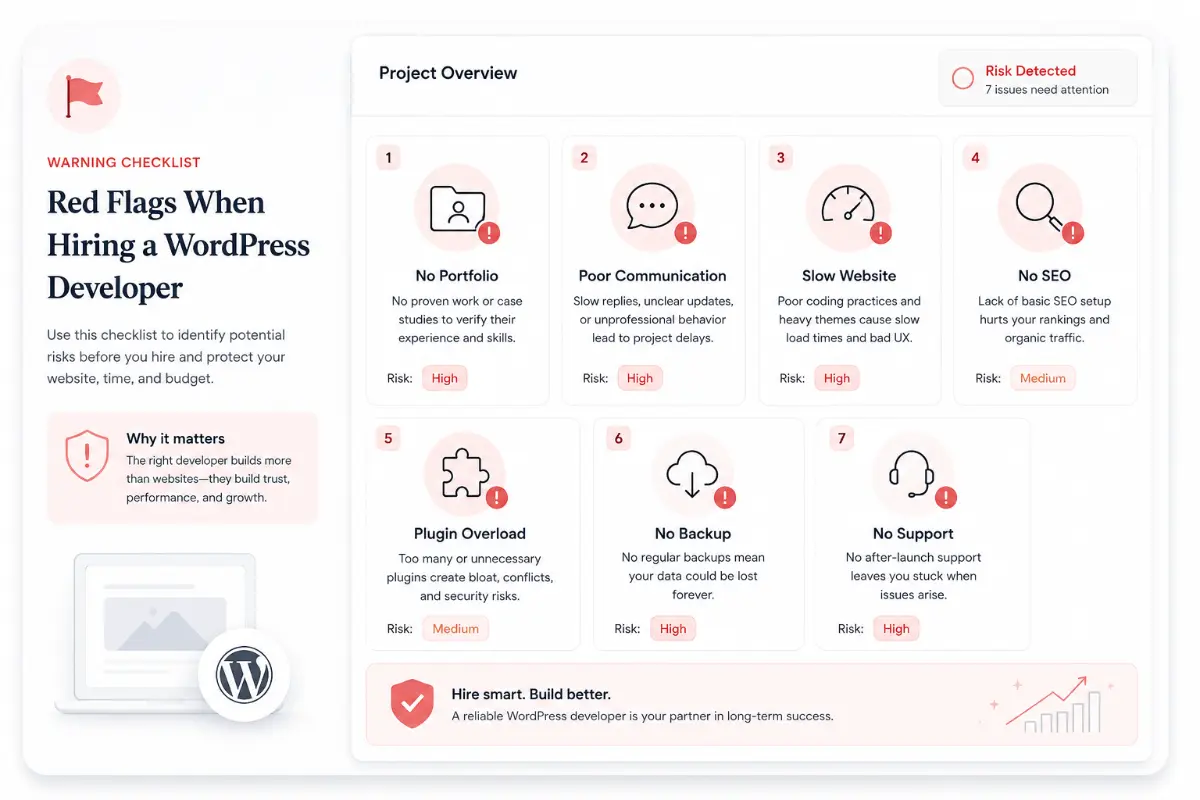
No Portfolio or Case Studies
If a developer cannot show real work, be careful. Everyone starts somewhere, but if you are paying for a business website, you need proof that the developer can deliver quality results.
Very Cheap Pricing Without Clear Scope
Low pricing is not always bad, but extremely cheap offers can be risky. If the price sounds too good to be true, ask what is included. Some cheap projects exclude mobile optimization, SEO setup, revisions, speed optimization, or post-launch support.
No Knowledge of Speed Optimization
If a developer does not understand website speed, your site may look good but perform poorly. Speed affects user experience and can impact your ability to convert visitors into customers.
Too Many Unnecessary Plugins
Plugins are useful, but too many plugins can slow down the website and create conflicts. A professional developer should use only what is necessary and avoid plugin overload.
Poor Communication
Communication is one of the most important parts of a website project. If the developer is unclear, slow, or difficult to understand before hiring, the project may become stressful later.
No Backup Plan
Before making major website changes, a developer should create a backup. If they do not talk about backups, staging, or safe update practices, that is a risk.
No SEO Understanding
A developer does not need to be a full SEO agency, but they should understand technical SEO basics. Poor heading structure, slow pages, missing metadata, weak internal linking, and messy URLs can hurt your website.
No Mobile Testing
Mobile testing is essential. If the developer only checks desktop layouts, the final website may have issues on phones and tablets.
No Post-Launch Support
Small issues can appear after launch. Forms may need testing, redirects may need fixing, or clients may request minor changes. A good developer should offer at least short post-launch support or a maintenance option.
They Cannot Explain Their Process Clearly
A professional WordPress developer should be able to explain how they work, what steps they follow, what tools they use, and what you can expect. If the process is unclear, the project may become confusing.
Step-by-Step Process to Hire a WordPress Developer
Hiring a WordPress developer becomes easier when you follow a clear process. This helps you avoid confusion, compare developers properly, and start the project with the right expectations.
Define Your Goal
Start by defining what you want the website to achieve. Do you need more leads, online sales, bookings, calls, newsletter signups, portfolio visibility, or brand trust?
Prepare Requirements
Create a simple list of requirements before contacting developers. Include pages, features, design examples, branding, content status, images, integrations, forms, and any special functionality.
Set a Budget
Set a realistic budget based on your website goals. If the website is important for your business, do not choose only the cheapest option. Choose the developer who offers the best balance of quality, experience, communication, and value.
Shortlist Developers
Shortlist developers based on portfolio, skills, reviews, communication, services, and project fit. Do not contact too many people at once. Focus on a few strong candidates.
Ask Questions
Use the questions listed earlier in this guide. The goal is to understand the developer’s process, experience, technical knowledge, and communication style.
Review Proposal
A good proposal should explain the scope, deliverables, timeline, price, revisions, payment terms, and post-launch support. Do not start a project based only on a vague message.
Start With Agreement
Before work begins, confirm everything in writing. This includes project scope, content responsibilities, deadlines, payment structure, revision limits, and launch process.
Test Before Launch
Before launching, test the website on desktop, tablet, and mobile. Check forms, links, buttons, speed, images, menus, browser compatibility, SEO settings, redirects, and analytics setup.
Testing is one of the most important steps. A website should not go live until important pages and functions are reviewed properly.
What Should Be Included in a WordPress Development Proposal?
A WordPress development proposal protects both the client and the developer. It makes the project clear and reduces misunderstandings. Before you hire a WordPress developer, ask for a proposal that includes the main details of the project.
- Project overview: A short summary of what the website project is about.
- Scope of work: A clear list of pages, sections, features, and services included.
- Design approach: Whether the website will use a custom design, theme, page builder, or existing brand style.
- Development stack: WordPress, Elementor, Oxygen Builder, WooCommerce, Gutenberg, plugins, hosting, or other tools.
- Content responsibility: Who will provide text, images, logos, videos, and brand assets.
- SEO setup: Page titles, meta descriptions, headings, URL structure, sitemap, schema, and basic optimization.
- Speed optimization: Caching, image optimization, script optimization, font optimization, and performance testing.
- Responsive testing: Desktop, tablet, and mobile checks.
- Revisions: Number of revision rounds included.
- Timeline: Estimated start date, milestones, and launch date.
- Payment terms: Deposit, milestone payments, final payment, and accepted payment methods.
- Post-launch support: What support is included after the website goes live.
- Maintenance options: Optional monthly updates, backups, security, and ongoing changes.
A clear proposal shows professionalism. If a developer cannot define the scope, timeline, and deliverables, you may face problems later.
WordPress Developer Hiring Checklist
Use this checklist before you hire a WordPress developer. It will help you compare candidates and avoid common hiring mistakes.
| Checklist Item | Status |
|---|---|
| Website goal is clearly defined | ☐ |
| Required pages are listed | ☐ |
| Required features are listed | ☐ |
| Budget range is clear | ☐ |
| Timeline is realistic | ☐ |
| Developer portfolio reviewed | ☐ |
| Similar projects checked | ☐ |
| Mobile responsiveness checked | ☐ |
| Speed optimization knowledge confirmed | ☐ |
| Technical SEO knowledge confirmed | ☐ |
| Communication style reviewed | ☐ |
| Proposal received | ☐ |
| Payment terms confirmed | ☐ |
| Revision policy confirmed | ☐ |
| Post-launch support confirmed | ☐ |
Want Help With Your WordPress Website?
I help business owners build fast, professional, SEO-ready WordPress websites using Elementor, Oxygen Builder, WooCommerce, and performance-focused development.
Common Mistakes People Make When Hiring a WordPress Developer
Many website problems happen because the hiring process was rushed. Here are the most common mistakes to avoid.
Choosing Only Based on Price
Price matters, but it should not be the only factor. A cheap website that loads slowly, breaks often, or fails to generate leads is not a good investment.
Not Checking Real Work
Always check portfolio examples. If possible, open live websites and test them yourself.
Not Defining Scope Clearly
If you do not define the project scope, you may face delays, extra costs, and confusion. Always list pages, features, content needs, and expectations before starting.
Ignoring Website Speed
A website can look beautiful but still fail because it loads slowly. Speed should be part of the development process from the beginning.
Ignoring SEO Structure
SEO should not be added after the website is finished. The site structure, URLs, headings, internal links, content layout, and performance all affect SEO.
Not Asking About Maintenance
WordPress websites need updates, backups, and security checks. Ask the developer what happens after launch.
Giving Full Access Without Backup
Before giving access to your website, hosting, or domain, make sure there is a backup and a clear agreement. Never allow major changes without a safety plan.
Not Testing Before Launch
Before launch, test every important page, form, button, menu, and checkout step. Small issues can hurt user trust and conversions.
Should You Hire a WordPress Developer or Build It Yourself?
You can build a WordPress website yourself, but that does not mean it is always the best decision. DIY can work for personal blogs, hobby websites, or very simple projects. But if your website needs to represent a business, generate leads, rank on Google, or support sales, hiring a professional WordPress developer is usually a better choice.
| Option | Best For | Recommendation |
|---|---|---|
| DIY WordPress Website | Personal blogs, hobby projects, simple pages | Good if you have time and low risk |
| Website Builder | Temporary websites or simple landing pages | Useful for basic needs but limited for custom growth |
| Professional WordPress Developer | Business websites, SEO projects, eCommerce, custom design | Best for serious business websites |
If your website needs to produce real business results, hiring a WordPress developer can save time, reduce mistakes, and give you a stronger long-term foundation.
Why Hire a WordPress Developer Instead of Using a Pre-Made Theme?
Pre-made WordPress themes can be useful, but they are not always the best choice for business websites. Many themes include too many features, scripts, layouts, and styling options that you may never use. This can make the website slower and harder to customize.
Hiring a WordPress developer gives you more control over design, performance, structure, and user experience.
- Better brand identity: Your website can match your business instead of looking like a common template.
- Cleaner structure: A developer can build only what your website needs.
- Better speed: Less unnecessary code and fewer heavy features can improve performance.
- Better SEO foundation: The website can be structured around your target keywords and service pages.
- Better user experience: Layouts can be planned for your audience and conversion goals.
- Easier maintenance: Clean development makes future updates and changes easier.
- Custom functionality: A developer can create features that themes do not provide.
A theme may help you start quickly, but a professional WordPress developer can help you build something more strategic, flexible, and business-focused.
How Long Does It Take to Build a WordPress Website?
The time needed to build a WordPress website depends on the size, design complexity, content readiness, number of revisions, and custom functionality. A simple landing page can be completed quickly, while a custom website or WooCommerce store may take several weeks.
| Website Type | Estimated Timeline |
|---|---|
| Landing Page | 2 – 5 days |
| 5-Page Business Website | 1 – 3 weeks |
| Custom Business Website | 3 – 6 weeks |
| WooCommerce Store | 3 – 8 weeks |
| Large Custom Website | 6 – 12+ weeks |
The timeline can be shorter if your content, images, branding, and requirements are ready before the project starts. It can take longer if content is missing, feedback is delayed, or custom features are added during development.
Why Website Speed and SEO Matter When Hiring a WordPress Developer
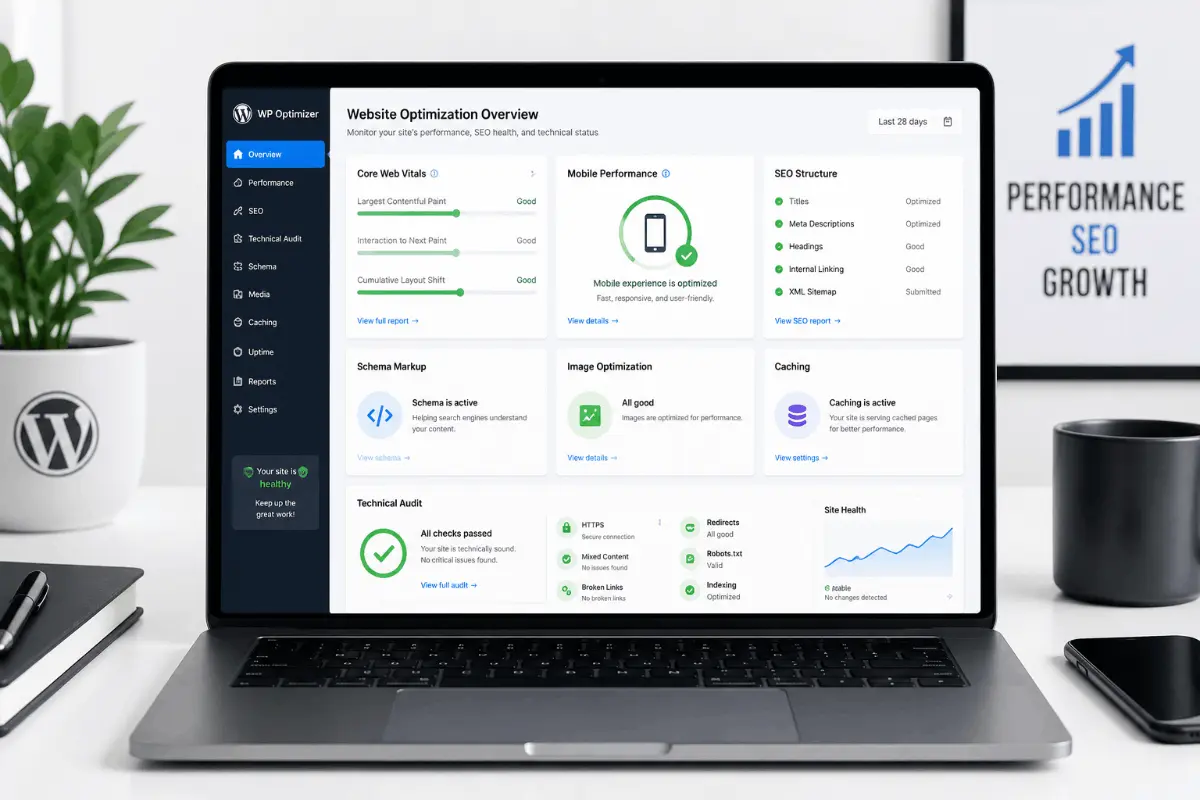
Website speed and SEO matter because your website is not only a design asset. It is a business tool. If your site loads slowly, is difficult to use, or is not structured for search engines, it may struggle to generate leads or sales.
Core Web Vitals
Core Web Vitals are performance-related signals that focus on loading experience, interactivity, and visual stability. A WordPress developer should know how layout choices, images, fonts, scripts, and plugins affect these metrics. You can learn more from Web.dev’s Web Vitals guide.
Mobile Performance
Mobile performance is extremely important because many users visit websites from phones. A good developer should optimize spacing, font sizes, buttons, menus, images, and forms for mobile users.
Clean Code and Layout Structure
Clean structure helps your website load faster and makes future changes easier. Bloated layouts, unnecessary containers, too many animations, and heavy scripts can reduce performance.
Image Optimization
Large images are one of the most common reasons WordPress websites become slow. A developer should compress images, use proper dimensions, add lazy loading where appropriate, and use modern image formats when possible.
Technical SEO
Technical SEO includes crawlability, indexability, sitemap setup, internal links, schema, canonical tags, headings, and clean URLs. A developer who understands technical SEO can create a better foundation for ranking.
Schema Markup
Schema markup helps search engines understand important details about your website, services, articles, FAQs, breadcrumbs, and business information. While schema does not guarantee rankings, it can improve how clearly your content is understood by search systems.
If you are serious about ranking on Google and AI search, do not hire a developer who only focuses on design. Hire someone who understands performance, SEO, structure, and user experience together.
For more website growth content, visit my articles section or browse the Performance & Technical SEO category.
How to Hire the Right WordPress Developer for Your Business
The right WordPress developer depends on your business type, website goal, budget, and technical requirements. A local service business, eCommerce store, agency, SaaS company, and personal brand may all need different website strategies.
For Small Business Websites
Small businesses need websites that are clear, trustworthy, fast, and easy to manage. The developer should focus on service pages, contact forms, local SEO structure, mobile design, trust sections, and clear calls to action.
For WooCommerce Stores
WooCommerce stores need product structure, checkout optimization, mobile shopping experience, payment setup, shipping configuration, security, and performance optimization.
For Service-Based Businesses
Service businesses need landing pages and service pages that explain the offer clearly. A good developer should structure the website around trust, expertise, location, benefits, testimonials, FAQs, and lead generation.
For Agencies
Agencies often need reliable WordPress developers who can work on client websites, follow design files, use Elementor or Oxygen Builder, fix issues, optimize speed, and communicate clearly.
For Website Redesigns
A redesign should not only make the website look better. It should also protect SEO, improve speed, update content, fix structure, improve mobile layouts, and increase conversions.
For Speed Optimization Projects
If your website is already built but slow, hire a developer who specializes in performance. They should audit plugins, images, scripts, caching, fonts, hosting, and page builder structure.
Hire Abdul Rehman as Your WordPress Developer
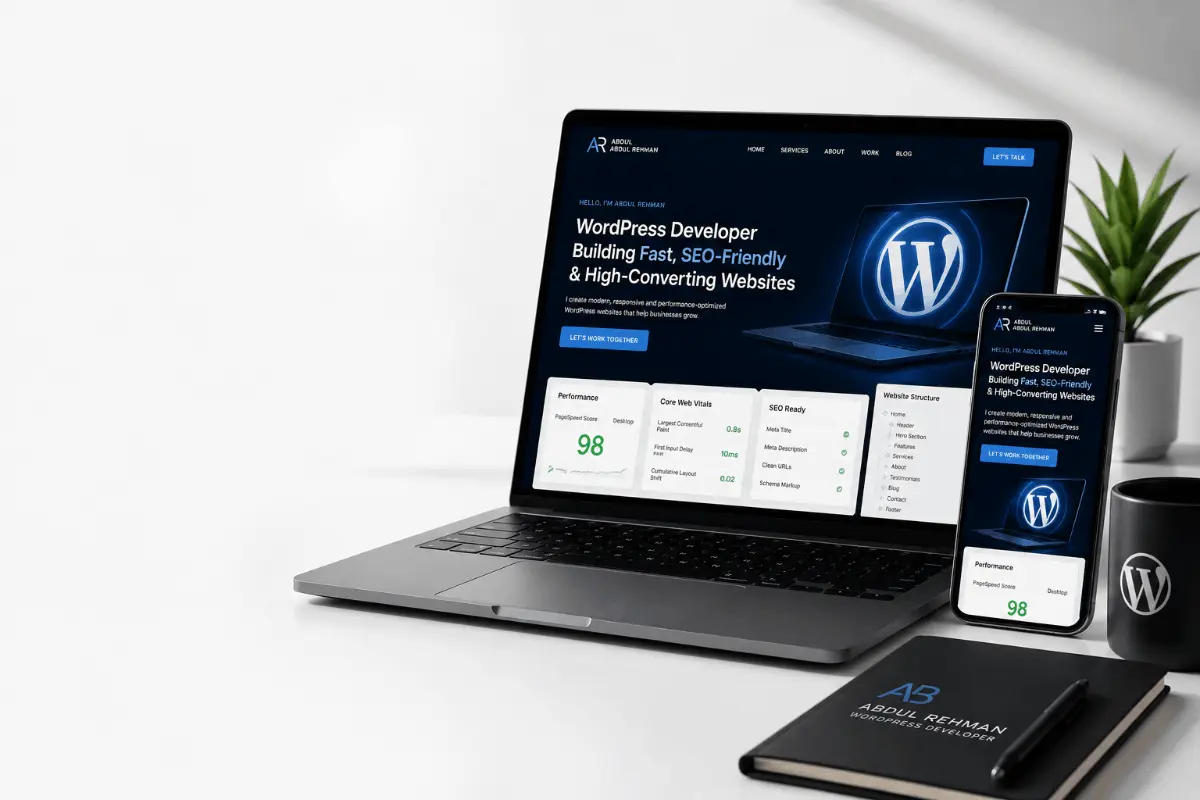
I build fast, SEO-ready, conversion-focused WordPress websites for businesses, agencies, consultants, and service providers. My work includes Elementor development, Oxygen Builder development, WooCommerce, technical SEO, speed optimization, and website redesigns.
Final Thoughts: Hiring a WordPress Developer in 2026
Hiring a WordPress developer in 2026 is about more than getting a website online. The right developer should help you build a website that is fast, secure, mobile-friendly, SEO-ready, easy to manage, and focused on business results.
Before you hire a WordPress developer, define your goals, prepare your requirements, check the developer’s portfolio, ask the right questions, review the proposal, confirm the timeline, and make sure post-launch support is included.
If you choose the right developer, your website can become a powerful business asset. If you choose the wrong one, you may face slow speed, poor SEO, broken layouts, security issues, and expensive fixes later.
If you want a professional WordPress website built with speed, SEO, design quality, and long-term performance in mind, contact me through my contact page or visit my hire me page.
FAQs About Hiring a WordPress Developer
How do I hire a WordPress developer?
To hire a WordPress developer, define your website goals, budget, required pages, features, and timeline. Then review developer portfolios, check their WordPress experience, ask about speed optimization and SEO, request a clear proposal, and confirm post-launch support before starting the project.
How much does it cost to hire a WordPress developer?
The cost to hire a WordPress developer depends on the project scope. A simple landing page may cost $150 to $700, a business website may cost $600 to $1,500, and a custom WordPress or WooCommerce website may cost $1,500 to $5,000 or more.
Where can I find a good WordPress developer?
You can find WordPress developers through freelance platforms, agencies, LinkedIn, referrals, and personal portfolio websites. A portfolio website is often a strong option because you can review real projects, services, case studies, and direct contact details before hiring.
What should I look for in a WordPress developer?
Look for WordPress experience, a strong portfolio, responsive design skills, speed optimization knowledge, technical SEO understanding, good communication, security awareness, WooCommerce experience if needed, and a clear project process.
Should I hire a freelance WordPress developer or an agency?
A freelance WordPress developer is usually a good choice for small businesses, startups, service websites, redesigns, and cost-effective projects. An agency may be better for larger projects that need a full team, project manager, designer, developer, SEO specialist, and long-term support.
How long does it take to build a WordPress website?
A landing page may take 2 to 5 days, a small business website may take 1 to 3 weeks, a custom website may take 3 to 6 weeks, and a WooCommerce store may take 3 to 8 weeks depending on scope, content, features, and revisions.
Can a WordPress developer improve website speed?
Yes, a WordPress developer can improve website speed by optimizing images, caching, fonts, CSS, JavaScript, plugins, database tables, hosting settings, and page builder structure. Speed optimization is especially important for Elementor, WooCommerce, and content-heavy websites.
Do WordPress developers handle SEO?
Some WordPress developers handle technical SEO, while others only focus on design and development. A good developer should understand page titles, headings, URLs, schema, sitemaps, mobile responsiveness, speed, and internal linking. Full SEO strategy may require additional keyword research and content planning.
What is the difference between a WordPress designer and WordPress developer?
A WordPress designer focuses on the visual look of the website, including layout, colors, typography, and user interface. A WordPress developer focuses on building, customizing, coding, optimizing, and maintaining the website. Many professionals can handle both design and development.
Is WordPress still worth using in 2026?
Yes, WordPress is still worth using in 2026 for business websites, blogs, service websites, eCommerce stores, portfolios, membership websites, and content-driven websites. It remains flexible, scalable, customizable, and supported by a large ecosystem of themes, plugins, developers, and tools.
What access should I give a WordPress developer?
You may need to give WordPress admin access, hosting access, domain access, FTP or file manager access, and plugin access depending on the project. Before giving access, make sure you have a backup, clear agreement, and trusted developer.
Can I edit my website after the developer builds it?
Yes, if the website is built properly, you should be able to edit pages, images, text, blog posts, and basic sections yourself. Ask your developer to build with a user-friendly setup such as Elementor, Gutenberg, Oxygen Builder, or a clean custom WordPress structure.